How Are Security Cameras Powered? Plug, PoE, Battery, Solar
Security cameras get power from an outlet, a PoE Ethernet cable, a battery, or a solar panel that charges a battery. Choose based on cable access, recording needs, and whether an outdoor camera will get enough sun.
On this page (8 sections)
- How are security cameras powered, and what does each option need?
- When should you use outlet power for a security camera?
- How does PoE power a security camera?
- How do battery-powered security cameras get power?
- Can solar cameras work without an outlet?
- How should you choose and set up a camera power source?
- Will security cameras keep working during a power outage?
- Which security camera power method should you choose?
Security cameras are powered by an outlet, a Power over Ethernet (PoE) cable, a battery, or a solar panel that charges a battery. The best match depends on where the camera will go, whether you need continuous recording, and how much cable work or charging you can manage.
Outlet and PoE cameras suit fixed locations where you can route power reliably. Battery and solar cameras make remote outdoor spots easier to reach, but you need to plan for charging, network access, and how the system records.
How are security cameras powered, and what does each option need?
The four common power methods are outlet power, PoE, battery, and solar charging. Each changes the installation, maintenance, and recording choices available to you.
| Power method | What supplies power | Often suits |
|---|---|---|
| Outlet | An adapter plugged into an outlet | Cameras near a suitable outlet |
| PoE | Ethernet from a compatible recorder or switch | Wired cameras where cable runs are practical |
| Battery | A rechargeable or replaceable battery | Locations where running a power cable is difficult |
| Solar | A panel that charges the camera battery | Outdoor locations with suitable sunlight |
“Wireless” usually describes the camera’s network connection. It doesn’t tell you how the camera gets power: a wireless model may still use an outlet, while a battery camera avoids a wired power connection.
Also check what else needs power. A camera may use a battery or solar panel while a hub, recorder, or router still needs an outlet to save or send footage.
See how a home security camera system works for an overview of how cameras, recorders, and viewing devices fit together.
When should you use outlet power for a security camera?
Choose an outlet-powered camera when a suitable outlet is close enough and you want to avoid routine battery charging. This is often a practical fit indoors or at an outdoor location where the power adapter and connection can be installed as the camera maker directs.
Before mounting the camera, confirm that the adapter can reach without stretching the cable or leaving a connection exposed to weather. Measure the route, not just the straight-line distance from the outlet to the camera.
A plug removes battery-charging chores, but it doesn’t remove every installation need. The camera may still rely on Wi-Fi or Ethernet to send video, and its cable needs a tidy, safe route.
Skip outlet power if the nearest outlet is too far away, unsafe to reach, or would leave a cable across a walkway. In that case, PoE may work if you can run Ethernet, while a battery or solar model may suit a remote outdoor spot better.
How does PoE power a security camera?
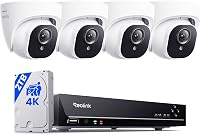
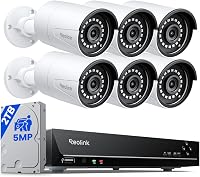
PoE sends power and data over one Ethernet cable when the camera connects to compatible PoE equipment. It can simplify each camera’s connection, though the cable still needs to run back to a PoE recorder or switch.
The Hiseeu 4K PoE 8-Cam PTZ System uses a wired PoE design, so each camera connects to the recorder by Ethernet without a separate camera power adapter. Its NVR and connected network equipment still need power.
Pick PoE if you want a wired camera system and can route cable to each mounting point. Skip it if you can’t make the cable runs or don’t want to install a recorder or switch; how to wire security cameras at home covers route planning, and PoE cable distance can help with longer runs.
A common mistake is assuming any Ethernet port supplies power. Check that the recorder or switch has PoE support and that it matches the camera’s requirements.
How do battery-powered security cameras get power?
Battery cameras store energy in rechargeable or replaceable batteries, so they can work where a power cable is hard to run. You trade cable installation for periodic battery checks, recharging, or replacement.
The Blink Outdoor 4 XR 6-Camera System includes 12 Energizer lithium AA batteries. Blink says the batteries can last up to 2 years when the cameras are used with the Sync Module XR and those batteries; actual upkeep depends on use and setup.
Battery cameras suit renters, detached structures, and outdoor locations where routing power would be difficult. Skip one if you need uninterrupted continuous recording and the camera’s recording options don’t support that need.
Plan how you’ll reach each camera before installing it high on a wall or under an eave. Motion alerts, live viewing, and frequent activity can affect how often you need to check a battery, so review the camera’s charging or replacement instructions.
See our guide to battery security camera systems for more options. Check whether its hub needs an outlet and how clips are stored before choosing the full setup.
Can solar cameras work without an outlet?
A solar panel can charge a camera’s battery from sunlight and reduce how often you recharge it by hand. It doesn’t remove the need for a battery, and it can’t guarantee enough charge in every season or mounting location.
The aosu D1 Max 4K Solar 4-Cam Kit includes 4 solar panels, with detached panels that can be placed separately from the cameras. That helps when the best camera angle and the sunniest panel position aren’t the same spot.
Choose solar when the camera and panel are compatible and you can position the panel for useful sunlight. Skip it for a shaded location or where seasonal sun is unreliable and you can’t check or recharge the battery as needed.
Avoid mounting a panel in the first convenient spot without checking its sun exposure. Follow the camera maker’s placement guidance, keep the panel clear of avoidable shade, and check that its cable reaches without pulling or obstructing the camera.
Read whether solar security cameras are any good for the tradeoffs, or compare solar-powered camera systems for outdoor spots without a convenient outlet.
How should you choose and set up a camera power source?
Start with the mounting location, then choose the power source that can reach it reliably and support the recording you need. Check cable routes, compatible equipment, sunlight, and maintenance access before you buy.
- Choose outlet power if the camera can reach a suitable outlet and you want to avoid routine battery changes.
- Choose PoE if you can run Ethernet to a compatible PoE recorder or switch and want one cable for camera power and data.
- Choose battery power if a power cable is impractical and you can reach the camera for battery care.
- Choose solar charging if the camera accepts a compatible panel and its placement gets suitable sunlight.
For setup, mark the camera and power equipment locations first. Measure cable routes, confirm which components need outlets, and make sure you can reach a battery or panel for future care.
A frequent mistake is choosing a power method without checking the recording mode. If continuous recording matters, confirm that the camera and recorder can support it.
A motion-event camera may not meet that need. For a larger wired setup, compare home security camera systems and plan the recorder connection before mounting cameras.
Will security cameras keep working during a power outage?
A camera can keep operating during an outage only if its power source still has energy and the rest of the setup can support recording. A charged battery camera may continue to run, while a camera powered by an outlet or PoE equipment may stop when that equipment loses power.
The recorder or hub and network router may also need power. If outage recording matters, check how each camera stores footage and which parts of the system need power for local recording or remote access.
Local recording and remote viewing are different. A camera may save video locally when the internet is down, but viewing it remotely usually depends on a working network connection.
Which security camera power method should you choose?
For security cameras, choose outlet power or PoE when you can run a dependable cable, battery power for flexible placement, and solar when a compatible panel can get enough sun. Match the power source to the recording mode and the maintenance you’re willing to do.
Pick the Hiseeu PoE kit for a wired multi-camera layout with Ethernet routes to a recorder. Choose the Blink battery system when avoiding camera power cables matters, or the aosu solar kit when outdoor placement and sunlight suit its separate panels.
For cable planning, start with how to wire security cameras at home. For locations without an outlet, compare battery-powered camera systems with solar-powered systems.
Frequently asked questions
How do you power security cameras?
Security cameras get power from a wall outlet, a PoE Ethernet cable, a battery, or a solar panel connected to a camera battery. Check whether the camera needs a separate power cable, a compatible PoE recorder, or periodic battery charging.
Match the power method to the camera location and the recording you want.
Can security cameras work without electricity?
Battery cameras can operate without a wired household power connection while their batteries have charge. A compatible solar panel can recharge some camera batteries when it receives suitable sunlight.
Cameras still need energy, and a recorder or hub may need an outlet even when the cameras are wire-free.
Do PoE cameras need a separate power supply?
A PoE camera can receive power and send data through one Ethernet cable when it connects to compatible PoE equipment. Check the camera and recorder requirements before connecting them.
The PoE switch or recorder still needs power from an outlet.
Can you add solar power to any security camera?
No. Use a panel made for the camera or one the camera maker says is compatible.
Check the connection, charging requirements, mounting options, and sunlight needs before you buy.
Shade or poor weather can limit charging, so a panel won't keep every camera running in every location.