8 Best Solar Powered Camera Systems for Outlet-Free Spots (October 2026)
The best solar powered security camera systems include the aosu D1 Max 4K Solar 4-Cam Kit for shaded camera spots, the eufy SoloCam E42 4K Solar 4-Cam Kit for HomeBase users, and the aosu D1 Classic 4-Cam Solar Kit for compact sunny mounts.
On this page (8 sections)
- How to choose the best solar powered security camera system
- Which solar camera system fits each setup?
- What should you plan before installing solar cameras?
- How should you care for a solar panel camera?
- What common solar camera buying mistakes should you avoid?
- Is local storage or cloud access a better fit?
- How does a solar kit compare with a battery camera system?
- Which solar powered camera system should you choose?
Best solar powered security camera system picks for outlet-free spots
The aosu D1 Max 4K Solar 4-Cam Kit is our top solar powered security camera system for outlet-free spots because its detached panels can be placed where the sun reaches them, while cameras cover the areas you need to watch. For local NVR recording, consider ANNKE; for broader coverage with an included monitor, Hiseeu offers an 8-camera kit.
Solar setups can reduce the need to route power cables outdoors, but they still need thoughtful placement. Consider where each camera can see, where its panel can catch sunlight, and where the base station or NVR will sit.
If you are weighing battery-only cameras against a solar kit, see our guide to battery security camera systems with no wires. Our explainer on how solar security cameras work covers charging and common limits.
Our picks at a glance
-
1

-
2

-
3

- 4
 Check it
Reolink Argus PT Ultra 4K Solar 4-Pack
Best for dual-band networks - 5
 Best for six entry pointsCheck it
 - 6
 Check it
ANNKE Solar Pan-Tilt 4K NVR Kit
Best for NVR expansion - 7
 Check it
Hiseeu Solar 8-Cam Wireless System
Best for multi-building lots - 8
 Best for desk-side monitoringCheck it
How to choose the best solar powered security camera system
The right solar camera system depends on sunlight, camera placement, the number of views you need, and how you want to store recordings. Decide those four things before comparing resolution or alerts.
Start by walking the perimeter in daylight and after dark. Note the doorways, driveway, side gates, sheds, and other areas where a recording could answer a real question, then mark locations with a clear view and dependable wireless coverage.
Next, check sunlight at the intended mounting spots. If a camera must go under an eave or on a shaded wall, a detached or split panel can be mounted in a brighter location; an integrated panel needs sun where the camera sits.
Choose storage based on how you review events. Event recording keeps attention on motion clips, while a hub or NVR with a hard drive gives you a central place to store and browse footage.
Check whether cards or drives are included, and whether the system records continuously on solar power.
Finally, decide whether you want to watch on a phone, computer, TV, or dedicated monitor. The aosu D1 Classic offers app-based live views, while the Hiseeu 8-camera base can connect to a TV or display and the other Hiseeu kit includes a touchscreen.
Which solar camera system fits each setup?
The aosu D1 Max is the strongest fit for flexible panel placement, while the other picks suit priorities such as storage, more cameras, or a dedicated screen. Match the system to the location and recording style you need.
aosu D1 Max 4K Solar 4-Cam Kit: Best for shaded camera spots
- 4K video
- Detached solar panels
- 32GB local storage, expandable to 1TB
- Pan, tilt, and tracking
Detached panels let you place the cameras for coverage and the panels for sunlight. The aosuBase stores footage locally and supports expansion up to 1TB.
Pros
- 4K video and 6× digital zoom
- Local storage included
- Flexible solar panel placement
Cons
- aosuBase connects to the router by Ethernet
- Solar charging depends on direct sunlight and placement
The D1 Max suits a yard where the best camera angle and the sunniest panel position are not the same place. Its detached solar panels give you more freedom to position the panels for charging while keeping the cameras focused on a doorway, driveway, or side yard.
The kit pairs four 4K cameras with an aosuBase that has 32GB of local storage and supports expansion up to 1TB. On-device AI detects people and vehicles, and pan, tilt, and tracking help follow movement across a wider area.
aosu says 2 hours of direct sunlight daily keeps the system running. Actual charging can vary with shade, season, and camera use, so check the sun path before mounting.
Choose this kit if you want high resolution, local storage, and flexible panel placement. Skip it if there is no convenient place to run Ethernet to the aosuBase, which connects to the router by cable.
eufy SoloCam E42 4K Solar 4-Cam Kit: Best for HomeBase users
- 4K video
- HomeBase 3 included
- HomeBase storage expandable to 16TB
- SolarPlus 2.0
This kit includes four SoloCam E42 cameras and a HomeBase 3. Its storage can expand to 16TB, and the cameras support solar charging.
Pros
- HomeBase 3 included
- Local storage expansion up to 16TB
- 4K video and AI tracking
Cons
- microSD card is not included
- 24/7 recording requires direct power
eufy’s SoloCam E42 kit suits buyers who want four solar cameras and HomeBase 3 in one package. The base has 16GB built-in storage and can expand to 16TB with a hard drive.
The cameras offer 4K video, AI motion detection, and tracking, plus a motion-activated strobe light. The removable solar panels let you adjust panel placement, and eufy says 2 hours of direct sunlight daily keeps the cameras charged.
There is an important recording distinction: the battery cameras do not run continuous recording on solar power alone. The product supports 24/7 recording in direct power mode with a compatible adapter and cable sold separately.
Choose eufy if HomeBase 3 storage is central to your setup. Skip it if continuous recording without direct power is essential, or if you expect the included kit to contain a microSD card.
aosu D1 Classic 4-Cam Solar Kit: Best for compact sunny mounts
- 2K video
- Integrated solar panels
- 32GB local storage
- Event-based recording
Integrated panels keep the cameras and charging setup together. Four cameras connect to the included aosuBase for event-based recording and local storage.
Pros
- No separate panel to mount
- Local storage included
- Pan, tilt, and auto tracking
Cons
- 2K resolution rather than 4K
- Panels need unobstructed direct sunlight
The D1 Classic keeps the panel integrated into each camera, which makes the assembly more compact than a camera with a separate panel. That can simplify mounting when each camera location gets enough direct sunlight.
Its four 2K cameras connect wirelessly to the included aosuBase, which stores activity-triggered clips on 32GB of local storage. The cameras can pan, tilt, and track movement, and the app can show four live views at once.
aosu says about 3 hours of direct sunlight daily helps keep the cameras charged. It also recommends unobstructed sunlight, so this design may be harder to place under eaves or in a shaded corner.
Choose it when the cameras and panels can share sunny spots and you want event clips. Skip it if you need 4K detail or an all-day archive.
Reolink Argus PT Ultra 4K Solar 4-Pack: Best for dual-band networks
- 4K, 8MP video
- 2.4GHz and 5GHz Wi-Fi
- 355° pan and 140° tilt
- Local storage support
The four-camera kit combines pan and tilt coverage with 2.4GHz or 5GHz Wi-Fi. Its home hub supports central management and local recording.
Pros
- 4K video with color night vision
- Pan, tilt, and monitor point
- Local storage without a subscription
Cons
- microSD card is not included
- Battery cameras do not support continuous recording
The Reolink Argus PT Ultra kit suits buyers who want 4K video and dual-band Wi-Fi in a wire-free camera set. It supports both 2.4GHz and 5GHz connections, and its pan and tilt controls can cover a broad area.
The four cameras pair with a home hub for central management and local recording. The hub supports local storage expansion, and the kit includes 64GB of flash storage.
This is an event-focused battery system, not a continuous recorder. Reolink says the battery camera does not support continuous video recording, so choose it for alerts and event playback rather than a full-time video archive.
Choose Reolink if you want movement tracking, a monitor point, and a choice of Wi-Fi bands. Skip it if you need nonstop recording or require a microSD card in the box.
aosu 2K Solar 6-Cam Kit: Best for six entry points
- Six-camera kit
- Split solar panels
- 32GB local storage
- Cross-camera tracking
A six-camera kit covers more points around a property, while split panels let you choose camera and panel positions separately.
Pros
- Six cameras included
- Local storage with expansion option
- Cross-camera event grouping
Cons
- microSD expansion card is sold separately
- Records events rather than continuous footage
The aosu 2K Solar 6-Cam Kit fits a property that needs more camera positions from the start. Its split panel design lets you mount each camera for coverage and place the panel where it can receive sunlight.
The system includes aosuBase with 32GB of local storage and supports expansion up to 1TB with a microSD card. Its cameras use event-based recording and cross-camera tracking to group activity across the system.
aosu describes the kit as expandable, but the exact camera limit for this model is not specified. Check compatibility before planning an expansion beyond the included six cameras.
Choose it when six coverage points matter more than 4K resolution. Skip it if your priority is continuous recording or you need more detail than 2K provides.
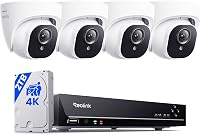
ANNKE Solar Pan-Tilt 4K NVR Kit: Best for NVR expansion
- Four 4MP cameras
- 1TB NVR hard drive
- NVR supports up to 10 cameras
- Pan and tilt
ANNKE pairs four solar cameras with a 10-channel NVR and 1TB hard drive. It suits a buyer who wants a recorder-based system with room to add cameras.
Pros
- 1TB hard drive included
- NVR supports up to 10 cameras
- Pan, tilt, and two-way audio
Cons
- Video is 4MP rather than 4K
- NVR needs a wired network connection
ANNKE is the strongest fit here if you want an NVR and hard drive instead of a small camera hub. The kit includes four 4MP cameras and a 10-channel NVR with a 1TB hard drive, expandable to 8TB.
The cameras are solar powered and support pan and tilt. The NVR can support up to 10 cameras, so there is room to add more if your coverage needs grow.
ANNKE describes the cameras as dual-band Wi-Fi and weatherproof. The NVR still needs power and a network connection, so plan an indoor location with enough room for the recorder.
Choose ANNKE if local recording capacity and future camera expansion matter more than 4K camera resolution. Skip it if you cannot accommodate a powered recorder with a wired network connection.
Hiseeu Solar 8-Cam Wireless System: Best for multi-building lots
- Eight-camera kit
- 1TB hard drive
- Expandable to 10 cameras
- HDMI local viewing
Eight cameras and a 1TB base-station hard drive suit properties with many areas to cover. The base station can connect to a TV or display for local viewing.
Pros
- Eight cameras included
- HDMI display connection
- Expandable to 10 cameras
Cons
- AI detection for people, vehicles, and pets may require a paid cloud plan
- Solar charging depends on sunlight and placement
The Hiseeu 8-camera kit suits a large property with several buildings or entry points to cover. Its base station includes a 1TB hard drive and supports up to 10 cameras.
The base can connect to a TV or display through HDMI for local viewing, and the system supports remote access over Wi-Fi. Hiseeu describes the cameras as 4MP with color night vision and two-way talk.
Check the AI feature details before choosing it: Hiseeu says AI detection for people, vehicles, and pets may require an extra-fee cloud plan. Local recording is separate from those optional cloud features.
Choose this kit if you need eight cameras and a built-in hard drive. Skip it if you have a small property or do not have room for a base station and display.
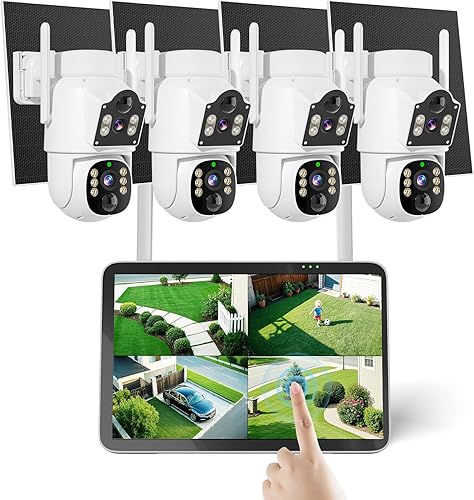
Hiseeu 4MP Solar Wireless Kit: Best for desk-side monitoring
- Four cameras
- 10-inch touchscreen monitor
- 500GB hard drive
- 2.4GHz and 5GHz Wi-Fi
The touchscreen monitor includes a 500GB hard drive for local recording. This kit may suit you if you want a dedicated screen alongside phone access.
Pros
- Touchscreen monitor included
- 500GB hard drive included
- Two-way talk
Cons
- Monitor needs a place indoors
- Charging depends on solar exposure
The Hiseeu 4MP kit is a practical match when you want a dedicated touchscreen monitor for viewing footage. It includes four cameras, a 10-inch touchscreen monitor, and a 500GB hard drive.
Its cameras are solar and battery powered, and the system supports 2.4GHz and 5GHz Wi-Fi. Two-way talk and remote access let you check in through the app as well as on the monitor.
The monitor takes more indoor space than a small base station, so plan where it will sit and how you will power it. Hiseeu describes the cameras as IP66 rated for outdoor use.
Choose it if a dedicated screen makes viewing easier for your household. Skip it if you only watch on a phone and do not want another indoor device.
What should you plan before installing solar cameras?
A good setup begins with the recording hub and network, then moves outside to camera views and panel placement. Confirm the indoor equipment location before drilling or attaching any camera hardware.
Set the hub or NVR near power and the router connection it needs. ANNKE uses a network cable for the recorder, and the aosu D1 Max base connects to the router with Ethernet; check cable reach and avoid leaving the recorder somewhere hard to reach.
Before mounting cameras, check each view from the height and direction you plan to use. A wide area can look covered on a map but still leave a doorway hidden behind a column, fence, or parked vehicle.
Aim motion zones at the route a person would take, not every moving branch or busy sidewalk. Adjust notifications after installation so a useful alert is easy to spot rather than buried in routine movement.
For installation choices beyond solar, read how security cameras get power and our guide to wiring security cameras at home. Those guides help you decide whether a wire-free camera or a powered camera is the better fit for each location.
How should you care for a solar panel camera?
Keep the panel clear of leaves, dirt, and anything that blocks direct sunlight. Check the mounting position after storms or seasonal changes, especially if nearby trees cast longer shadows in winter.
Review battery and charging status in the system app after installation and after a change in weather or camera activity. If charging falls behind, first inspect panel exposure and camera settings, then adjust the panel or reduce unnecessary motion triggers.
Keep a record of camera names, view directions, and activity zones. That makes it easier to spot a shifted camera and restore a useful angle without guessing which device covers each area.
What common solar camera buying mistakes should you avoid?
The most common mistake is choosing a sunny camera location that cannot see the area you need, or a useful view with no sunlight for an integrated panel. Separate-panel systems solve some placement conflicts, but the panel still needs a clear route to sunlight.
Another mistake is assuming “wireless” means the whole system runs without cables or power. Cameras may be solar powered while a hub or NVR still needs indoor power and a network connection.
Do not assume solar means continuous recording. Battery cameras often save event clips to conserve power, and Reolink explicitly says the Argus PT Ultra does not support continuous recording; eufy’s SoloCam E42 needs direct power and compatible accessories for 24/7 recording.
Finally, avoid buying more cameras than you can place well. Four cameras with clear views can be more useful than a larger kit with overlapping angles, weak network coverage, or panels in shade.
Is local storage or cloud access a better fit?
Local storage suits buyers who want footage kept on a hub or recorder at home, while cloud access can make remote clip access simpler but may involve separate plans. Check which features work locally and which depend on optional services.
The aosu and eufy kits include storage in their base units, while ANNKE and Hiseeu include hard drives in their recorder systems. Reolink supports local storage through its home hub, though a microSD card may need to be added separately.
Storage capacity is only one part of the decision. Think about whether you want event clips or longer recording coverage, how often you review footage, and whether you want a compact hub or a recorder with a larger hard drive.
How does a solar kit compare with a battery camera system?
A solar kit uses a panel to help recharge a camera battery, while a battery camera relies on charging by hand or another power source. Solar can lower charging visits, but it still depends on sunlight, panel angle, and local weather.
For a broader comparison of night views, see our guide to night vision security camera systems. A spotlight can support color footage at night, while infrared mode may suit a more discreet view.
Which solar powered camera system should you choose?
Choose the aosu D1 Max for 4K video and flexible panel placement, eufy for a HomeBase 3-centered setup, or ANNKE for an NVR and expandable hard drive. Pick the aosu 6-camera kit for more coverage points, or Hiseeu when a large property or dedicated screen is the priority.
Before you buy, match the system to your sunlight, network, recording needs, and indoor equipment space. If the panel cannot reach sun or the hub cannot connect where you need it, choose a different camera layout or a powered system instead.
Our top 3 picks at a glance
-
1
-
2
-
3
Frequently asked questions
Do solar security cameras need an outlet?
Solar cameras use a panel to charge a battery, so the camera itself can be mounted away from an outlet. A base station or NVR may still need power and a router connection, so plan an indoor spot for any included recording hub.
How much sunlight does a solar security camera need?
The sunlight needed depends on the camera, activity, weather, season, and panel placement. aosu says the D1 Max needs 2 hours of direct sunlight daily, while the D1 Classic needs about 3 hours.
Can solar security cameras record continuously?
Some battery-powered solar cameras record events to conserve power, while continuous recording may require direct power or a recorder-based system. Reolink says the Argus PT Ultra does not support continuous recording.
Do solar camera systems store footage locally?
Yes. Several solar systems use a base station, hub, or NVR for local storage.
Options here include aosuBase, eufy HomeBase 3, and recorder kits with a hard drive.
Are solar security cameras good for shaded areas?
They can work in shaded spots if the panel can be placed in a sunnier location, as with a detached or split panel design. An integrated panel needs sunlight where the camera is mounted.