8 Best NVR Camera Systems for a Whole House (October 2026)
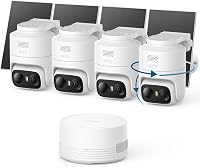
The best NVR camera systems for whole-house coverage include the eufy NVR System E50 4-Cam Kit for tracking across zones, the Reolink RLK8-520D4 5MP PoE System for compact home coverage, and the Reolink RLK8-410B6 5MP PoE System for six fixed viewpoints.
On this page (9 sections)
- How we chose the best NVR camera system for home
- Which NVR camera system fits your home layout?
- How many cameras should you plan for?
- How should you choose between fixed, PTZ and 4K cameras?
- How much storage and recording time should you plan for?
- What should you do before installing a PoE NVR?
- Which setup mistakes lead to poor coverage?
- How do you care for a home NVR camera system?
- Which NVR camera system is the best fit for your home?
The best NVR camera system for home coverage is the eufy NVR System E50 4-Cam Kit if you want a steady wide view and a camera that can track activity. For fixed coverage, Reolink offers several camera counts, while Hiseeu suits homes where pan-and-tilt tracking is a priority.
An NVR system records video from wired network cameras to a recorder in your home. It suits people who want ongoing local recording and can plan cable routes, rather than relying on each camera's battery or a cloud account.
Start by mapping the views you need, then compare camera movement, compatibility, channel capacity and storage. Our home security camera system guide compares broader system choices, and what an NVR system is explains how the recorder fits into the setup.
Our picks at a glance
-
1

-
2
-
3
- 4
 Check it
Hiseeu 4K PoE PTZ 6-Cam System
Best for moving views outdoors - 5
 Check it
ANNKE 8-Channel 4K PoE Color Night Vision System
Best for color alerts at night - 6
 Check it
Hiseeu 4K PoE 8-Cam PTZ System
Best for eight tracking zones - 7
 Check it
Reolink RLK16-410B8 16-Channel System
Best for future Reolink expansion - 8
 Check it
Reolink RLK8-410B4 5MP PoE System
Best for simple wired entry points
How we chose the best NVR camera system for home
The best home NVR camera system matches your home's layout, recording plan and willingness to run cable. We compared included camera counts, recorder capacity, storage, connection type, detection and camera movement.
The most useful distinction is between coverage you can map in advance and coverage that can shift as activity moves. Fixed cameras keep their assigned view, while PTZ models can pan and tilt; systems also differ in how they handle recording, alerts and later expansion.
| Product | Best for | Cameras | Storage | Connection | Our score |
|---|---|---|---|---|---|
| eufy NVR System E50 4-Cam Kit | tracking across zones | 4 Bullet-PTZ cameras | 2TB hard drive | PoE wired | 8.8 |
| Reolink RLK8-520D4 5MP PoE System | compact home coverage | 4 fixed PoE cameras | 2TB hard drive | Wired PoE | 8.7 |
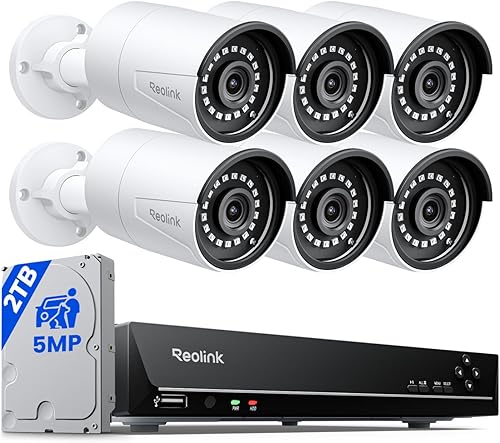
| Reolink RLK8-410B6 5MP PoE System | six fixed viewpoints | 6 fixed PoE cameras | 2TB hard drive | Wired PoE | 8.6 |
| Hiseeu 4K PoE PTZ 6-Cam System | moving views outdoors | 6 PTZ PoE cameras | 3TB hard drive | Wired PoE | 8.5 |
| ANNKE 8-Channel 4K PoE Color Night Vision System | color alerts at night | 6 PoE cameras | 2TB hard drive | Wired PoE | 8.4 |
| Hiseeu 4K PoE 8-Cam PTZ System | eight tracking zones | 8 PTZ cameras | 3TB hard drive | Wired PoE | 8.3 |
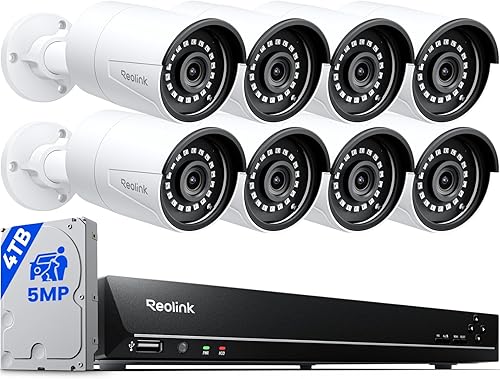
| Reolink RLK16-410B8 16-Channel System | future Reolink expansion | 8 fixed PoE cameras | 4TB hard drive | Wired PoE | 8.2 |
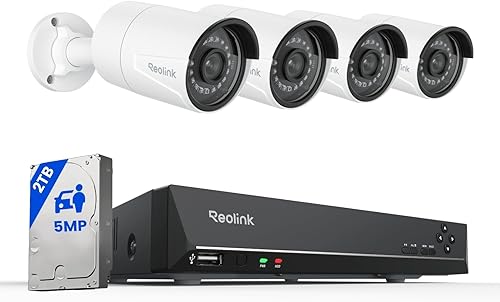
| Reolink RLK8-410B4 5MP PoE System | simple wired entry points | 4 fixed PoE cameras | 2TB hard drive | Wired PoE | 8.0 |
Which NVR camera system fits your home layout?
The right system depends on the number of fixed views or moving cameras you actually need. Each pick below is suited to a distinct plan, so begin with the areas you want to cover rather than the biggest camera count.
eufy NVR System E50 4-Cam Kit: Best for tracking across zones
- 4 cameras with fixed and PTZ lenses
- 2TB hard drive
- On-device AI processing
- NVR supports up to 16 channels
Each camera combines a fixed lens with a PTZ lens, while the NVR supports up to 16 channels. The system includes local AI features and a 2TB hard drive.
Pros
- Fixed and tracking views in each camera
- Local AI processing
- 2TB drive included
Cons
- Each Bullet-PTZ camera uses 2 real-time streams
- Does not support other brands' PoE cameras
Each eufy E50 camera pairs an upper fixed lens with a lower PTZ lens. The fixed lens covers a wide area while the PTZ lens can track a subject, giving you a steady overview and a closer moving view at the same location.
The kit includes four cameras and a 2TB drive. The recorder supports up to 16 channels, but each Bullet-PTZ camera uses two real-time streams, and the system supports up to eight of these cameras.
On-device AI includes facial recognition and smart video search. eufy also describes cross-camera tracking, where other cameras adjust when one detects motion.
Choose this kit if activity may move across a driveway, yard or other open area and you want cameras to follow it. Skip it if you need a mixed-brand PoE setup, since the system does not currently support other brands' PoE cameras.
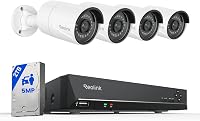
Reolink RLK8-520D4 5MP PoE System: Best for compact home coverage
- 4 wired PoE cameras
- 5MP video
- 2TB hard drive
- Person, animal and vehicle detection
This 4-camera Reolink kit pairs 5MP cameras with an 8-channel NVR and 2TB drive. It supports person, animal and vehicle detection after a firmware update.
Pros
- Four cameras and cables included
- Detection for people, animals and vehicles
- NVR can be expanded with compatible Reolink cameras
Cons
- Designed for Reolink cameras
- Extra camera coverage requires separate planning
The Reolink RLK8-520D4 is a practical fit for four fixed viewpoints, such as the front door, back door, driveway and a side path. It combines four 5MP cameras, an 8-channel NVR and a pre-installed 2TB drive.
Each camera connects with one PoE cable for power and video. Person, animal and vehicle detection is available after a firmware update, and the cameras include microphones and infrared night vision with a stated range of up to 100 ft.
Choose it when you want a basic fixed-camera plan with spare recorder capacity. Skip it if you need moving cameras or intend to build a mixed-brand setup, since the system is designed for Reolink PoE cameras.
For a different approach, compare it with wireless security camera systems that record to an NVR.
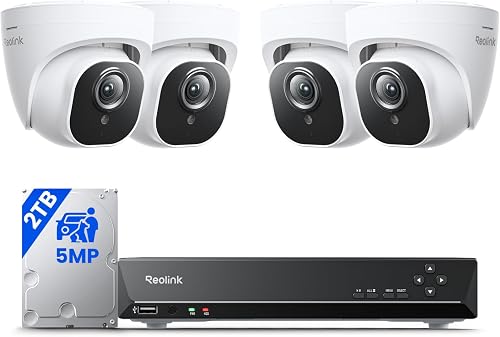
Reolink RLK8-410B6 5MP PoE System: Best for six fixed viewpoints
- 6 wired PoE cameras
- 5MP video
- 2TB hard drive
- Person, animal and vehicle detection
Six cameras give you more included viewpoints than a 4-camera kit. Each connects to the Reolink NVR with one network cable for power and video.
Pros
- Six cameras included
- Person, animal and vehicle detection
- 100 ft infrared night vision
Cons
- Fixed cameras do not pan or tilt
- Pet detection requires the latest firmware
The RLK8-410B6 includes six fixed 5MP cameras, an 8-channel NVR and a 2TB drive. Those extra viewpoints can help cover more sides of a home without switching to a camera that moves.
The one-cable PoE connection carries power and video to each camera. Person, animal and vehicle detection can help separate useful alerts from general motion, and infrared night vision is rated up to 100 ft.
Choose it if your map calls for six stationary views, such as entrances and side approaches. Skip it if you want a camera to follow someone after detection; these cameras are fixed, so each needs a deliberate mounting angle.
Hiseeu 4K PoE PTZ 6-Cam System: Best for moving views outdoors
- 6 PTZ cameras
- 300° pan and 90° tilt
- 3TB hard drive
- Expandable to 16 channels with a PoE switch
The six PTZ cameras can pan and tilt, and the system supports human auto-tracking. A separate PoE switch is needed to expand beyond the NVR's 8 built-in PoE ports.
Pros
- Auto human tracking
- 3TB hard drive
- Local viewing can work without internet
Cons
- Extra PoE switch needed for expansion
- Remote viewing requires an internet connection
Hiseeu's six-camera kit is for homes that benefit from moving views and human auto-tracking. Its cameras support 300° pan and 90° tilt, and the included 3TB drive supports a continuous recording option.
The NVR has eight built-in PoE ports and can expand to 16 channels with an additional PoE switch. Local viewing on a TV can work without internet, while remote app or PC access requires an internet connection.
Choose it if tracking and two-way audio matter across several outdoor or indoor areas. Skip it if you want a simple fixed-camera layout or don't want to plan for a separate switch to expand beyond the built-in ports.
ANNKE 8-Channel 4K PoE Color Night Vision System: Best for color alerts at night
- 6 fixed PoE cameras
- 4K video
- 2TB hard drive
- Smart dual light color night vision
This ANNKE kit combines six fixed 4K cameras with an 8-channel NVR. Its dual-light mode switches to color night vision when people or vehicles are detected.
Pros
- 4K cameras
- Human and vehicle detection
- Color night vision on detection
Cons
- Fixed cameras do not pan or tilt
- Two channels remain beyond the six included cameras
ANNKE's kit pairs six fixed 4K PoE cameras with an 8-channel NVR and a 2TB drive. It also supports continuous recording and human and vehicle detection.
The smart dual-light feature starts in black-and-white night vision, then switches to color when people or vehicles are detected. That makes it a fit for entry areas where a color view at the moment of detection is useful.
Choose it if you want fixed 4K cameras and detection-triggered color night views. Skip it if you need PTZ movement; all six cameras are fixed.
The two remaining recorder channels also require compatible cameras if you later expand.
Hiseeu 4K PoE 8-Cam PTZ System: Best for eight tracking zones
- 8 PTZ cameras
- 300° pan and 90° tilt
- 3TB hard drive
- Expandable to 16 channels with a PoE switch
Eight PTZ cameras provide more included viewpoints than the smaller Hiseeu kit. The system supports human tracking and two-way audio.
Pros
- Eight PTZ cameras included
- 3TB hard drive
- Supports human and vehicle detection
Cons
- Extra PoE switch needed to expand beyond 8 cameras
- Remote viewing needs internet
This Hiseeu kit includes eight PTZ cameras and a 3TB drive. The cameras support 300° pan, 90° tilt and human auto-tracking, while the system also offers two-way audio and human and vehicle detection.
The NVR has eight built-in PoE ports and can expand to 16 channels with an extra PoE switch. It supports local 24/7 recording; remote app access requires internet.
Choose it if eight moving viewpoints fit your coverage plan and you want tracking in several areas. Skip it if eight cameras would be excessive for your home or you prefer the steadier, simpler framing of fixed cameras.
Reolink RLK16-410B8 16-Channel System: Best for future Reolink expansion
- 8 wired PoE cameras
- 16-channel NVR
- 4TB hard drive
- Person and vehicle detection
This Reolink kit includes eight fixed cameras and a 16-channel NVR. It suits a home where you want eight starting views and room to add compatible Reolink cameras.
Pros
- Eight cameras included
- 16-channel NVR
- 4TB hard drive
Cons
- Designed for Reolink PoE cameras
- Fixed cameras do not pan or tilt
Reolink's 16-channel kit includes eight fixed 5MP cameras and a 4TB drive. The recorder has room for additional compatible cameras, making it a strong fit for a large coverage plan that may grow.
The system supports person and vehicle detection, plus pet detection after a firmware update. Local recording works without internet, though remote access needs an internet connection.
Choose it if you want eight starting views and a clear path to add Reolink cameras later. Skip it if you expect to mix brands or want cameras that follow activity; this system is designed for Reolink PoE cameras and its included cameras are fixed.
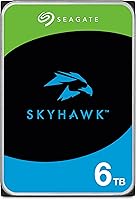
For help comparing storage options, see our guide to the best hard drives for a security camera system.
Reolink RLK8-410B4 5MP PoE System: Best for simple wired entry points
- 4 wired PoE cameras
- 5MP video
- 2TB hard drive
- Person, animal and vehicle detection
This 4-camera Reolink kit records to a 2TB NVR and supports smart detection for people, animals and vehicles. Its one-cable PoE connection carries power and video.
Pros
- Four cameras and 2TB drive included
- Smart motion detection
- Remote playback through the Reolink app
Cons
- Designed for Reolink PoE cameras
- Fixed cameras do not pan or tilt
The Reolink RLK8-410B4 is a four-camera 5MP PoE kit with a 2TB drive. It records locally and supports person, animal and vehicle detection.
A single network cable carries power and video to each camera. The system can keep monitoring and saving recordings locally when internet access is unavailable.
Choose it for four fixed views around a smaller home or a focused set of entry points. Skip it if you need more included viewpoints, PTZ tracking or cameras from another brand.
How many cameras should you plan for?
The right camera count comes from the places you want to see, not the size of the house alone. Four can suit a compact plan, while six or eight can cover additional sides, entrances or approaches.
Draw a simple map and mark doors, the driveway, yard approaches and blind corners. Then mark possible camera positions and note where walls, eaves or long runs may affect cable routing.
A camera aimed at several areas may leave useful details too small or a nearby approach out of view. For each position, decide what you need to see and whether a fixed lens or a moving camera is a better fit.
If you want to weigh a wired NVR against a self-installed system with different camera types, compare this guide with our DIY security camera system recommendations. PoE installation can be manageable for a careful homeowner, but the cable plan needs to work before you mount cameras.
How should you choose between fixed, PTZ and 4K cameras?
Choose fixed cameras when each location has a clear, stable view, and consider PTZ when following movement or changing the view matters. Resolution is only one part of the decision; placement, lighting and the area in frame also affect how useful the footage is.
A PTZ camera can redirect its view, but it cannot watch every direction at once. A fixed camera stays on its assigned area, which can be preferable for entrances or paths that need constant coverage.
The kits here combine different camera capabilities and resolutions. For a closer look at choosing resolution for a home system, read what resolution a home security camera needs.
How much storage and recording time should you plan for?
Choose storage based on how many cameras you will record, whether you want continuous or motion-based recording, and how long you hope to keep footage. These kits include drives from 2TB to 4TB, with the Hiseeu systems offering 3TB.
Storage capacity alone doesn't promise a particular retention period across all homes. Recording settings and camera use affect how quickly available space fills, so check the recorder's options and decide how far back you need to search.
The eufy system allows drive expansion up to 16TB, while the Reolink 16-channel kit includes a 4TB drive. If footage retention is a priority, read how long security camera footage lasts before settling on a drive size.
What should you do before installing a PoE NVR?
Plan the recorder location and camera cable routes before drilling or mounting anything. PoE uses one network cable for power and video, which makes each camera connection simpler, but every route still needs to reach the NVR or a compatible PoE switch.
Start by placing the recorder near a display or network connection that suits your setup. Mark each camera location, measure cable paths with room to follow corners, and confirm the included cable lengths are appropriate before committing to a route.
Connect and check the cameras at ground level before mounting them. Once the live views appear, name each camera by its location and adjust its angle so the view covers the intended entrance, path or yard.
For remote viewing, connect the recorder to your router and follow the brand's app setup. Local recording and remote access are different: some systems can continue recording without internet, but viewing footage away from home requires a working connection.
Keep the recorder in a dry, ventilated place where you can reach it to review footage and check connections. A simple camera map and labels for each cable can make future adjustments easier.
Which setup mistakes lead to poor coverage?
The most common mistake is buying by camera count before deciding what each camera needs to see. A large bundle can still leave a blind corner if several cameras point at the same area or if a key approach isn't on the map.
Avoid pointing cameras into a bright light source if that makes the important part of the scene hard to see. Check the view during the times of day and night when you care most about coverage, then adjust the angle or location if a doorway or path is obscured.
Don't assume every camera will work with every NVR. Reolink kits in this guide are designed for Reolink cameras, and eufy says its system does not support other brands' PoE cameras.
Another common error is treating spare channels as ready-to-use camera coverage. Expansion can also require compatible cameras, a PoE switch or more storage, so confirm those needs before buying for a future plan.
Finally, don't leave alert settings at defaults if routine motion keeps sending unwanted notifications. Use available detection choices, activity zones or schedules to focus alerts on the areas and times that matter to your home.
How do you care for a home NVR camera system?
Check live views regularly so you notice a shifted camera, obstructed lens or disconnected cable before you need a recording. Clear dust and outdoor debris gently, and make sure each camera still points at the area it was assigned to cover.
Review your recorder's playback and retention settings after you change camera counts or recording schedules. Keep the recorder accessible, and check the system instructions for firmware updates, especially when a feature such as detection depends on an update.
Revisit the camera map when you change entrances, outdoor lighting or landscaping. A new obstruction can make an old angle less useful, and a small adjustment may restore the view without adding a camera.
Which NVR camera system is the best fit for your home?
Choose the eufy E50 for a combination of fixed and tracking views with on-device AI. Choose a Reolink kit for fixed PoE coverage, with the 4-camera options for focused plans and the 16-channel kit for more room to grow.
Pick the six-camera ANNKE kit if detection-triggered color night views matter, or Hiseeu if you want multiple pan-and-tilt cameras. Before you decide, count your viewpoints, confirm brand compatibility and cable routes, and choose storage for the recording schedule you expect.
For a wider comparison of wired and wireless approaches, start with our home security camera system guide.
Our top 3 picks at a glance
-
1
-
2
-
3
Frequently asked questions
What is the best NVR camera system for home use?
The best NVR system depends on how many views you need and whether you want fixed or moving cameras. The eufy E50 combines fixed and PTZ views in each camera, while Reolink kits offer fixed PoE cameras in 4-, 6- and 8-camera bundles.
Check camera compatibility, channel capacity and drive size before choosing.
How many cameras do I need to cover a whole house?
Count the areas you want to watch, such as doors, driveway, yard and side paths. Four cameras may suit a smaller layout, while six or eight can add viewpoints around a larger home.
Draw a simple map first and note walls or long cable routes that could affect placement.
Does an NVR security camera system need internet?
An NVR can record locally without internet if the system supports local recording. Reolink says local recording on its 16-channel kit works without internet, while remote access requires a connection.
Check the specific system's instructions for local viewing and app access.
What should I check before buying a PoE camera kit?
Check the number of included cameras, available NVR channels, cable lengths and camera compatibility. PoE sends power and video through one network cable, but the route still needs to reach the recorder or a compatible PoE switch.
Our guide to wiring security cameras at home covers cable planning.