8 Best Hard Drives for a Security Camera System (October 2026)
The best hard drives for security camera systems include the Seagate SkyHawk 6TB Surveillance Drive for balanced home recording, the Seagate SkyHawk 8TB Surveillance Drive for longer retention needs, and the Seagate SkyHawk 4TB Surveillance Drive for compact wired systems.
On this page (17 sections)
- Best Hard Drives for a Security Camera Recorder
- Which hard drives are best for a security camera system?
- How we chose these security camera hard drives
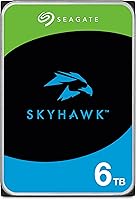
- Seagate SkyHawk 6TB Surveillance Drive: Best for balanced home recording
- Seagate SkyHawk 8TB Surveillance Drive: Best for longer retention needs
- Seagate SkyHawk 4TB Surveillance Drive: Best for compact wired systems
- WD Purple 4TB Surveillance Drive: Best for mainstream WD systems
- WD Purple 8TB Surveillance Drive: Best for a larger WD recorder
- WD Purple Pro 10TB Surveillance Drive: Best for AI enabled recorders
- Seagate SkyHawk AI 12TB Surveillance Drive: Best for AI video workloads
- WD Purple 2TB Surveillance Drive: Best for a small camera setup
- How should you choose hard drive capacity for a security camera system?
- Does a security camera recorder need a surveillance hard drive?
- How do you set up and care for a security camera hard drive?
- What common mistakes lead to lost security camera footage?
- Should you choose local storage or cloud storage?
- Which hard drive should you choose for a security camera system?
Best Hard Drives for a Security Camera Recorder
The best hard drive for a security camera system for most homes is the Seagate SkyHawk 6TB, a video focused option for DVR and NVR recording. Choose the 8 TB model if you need more room, or WD Purple if its surveillance features and recorder support fit your setup.
A drive's capacity alone doesn't determine how many days of footage you'll keep. Camera count, resolution, frame rate, recording schedule and compression all affect storage use.
If you're choosing a complete recorder system too, start with our guide to home security camera systems. For the role of the recorder itself, see the best NVR camera systems for a whole house.
Our picks at a glance
-
1
 Best for balanced home recording
Seagate SkyHawk 6TB Surveillance Drive
8.9/10 our score
See it on Amazon -
2
 Best for longer retention needs
Seagate SkyHawk 8TB Surveillance Drive
8.8/10 our score
See it on Amazon -
3
 Best for compact wired systems
Seagate SkyHawk 4TB Surveillance Drive
8.7/10 our score
See it on Amazon
- 4
 Check it
WD Purple 4TB Surveillance Drive (128 MB cache)
Best for mainstream WD systems - 5
 Check it
WD Purple 8TB Surveillance Drive
Best for a larger WD recorder - 6
 Check it
WD Purple Pro 10TB Surveillance Drive
Best for AI enabled recorders - 7
 Check it
Seagate SkyHawk AI 12TB Surveillance Drive
Best for AI video workloads - 8Check it
WD Purple 2TB Surveillance Drive
Best for a small camera setup
Which hard drives are best for a security camera system?
The best choice depends on recorder compatibility and how much video you want to retain. These picks cover common home surveillance needs, plus larger drives for systems built to handle more cameras or AI video analysis.
Seagate SkyHawk 6TB Surveillance Drive: Best for balanced home recording
- 6 TB capacity
- Built for DVR and NVR systems
- Supports workloads up to 180 TB/year
- RV sensors for multi-bay systems
A mid-capacity surveillance drive designed for DVR and NVR recording. SkyHawk Health Management can help monitor drive health in compatible systems.
Pros
- Video optimized storage
- RV sensors for multi-bay systems
- Includes three-year Rescue Data Recovery Services
Cons
- Recorder compatibility still needs checking
- Capacity may be more than a small system needs
Seagate SkyHawk 8TB Surveillance Drive: Best for longer retention needs
- 8 TB capacity
- Built for DVR and NVR systems
- Supports workloads up to 180 TB/year
- Designed for 24/7 recording
The larger capacity can suit a system that needs more recording space before footage is overwritten. Confirm the recorder supports an 8 TB drive.
Pros
- More capacity than the 6 TB pick
- Video optimized storage
- Includes three-year Rescue Data Recovery Services
Cons
- May be unnecessary for a few cameras
- Recorder capacity limits vary
Seagate SkyHawk 4TB Surveillance Drive: Best for compact wired systems
- 4 TB capacity
- Designed for DVR and NVR systems
- Supports workloads up to 180 TB/year
- RV sensors for multi-bay systems
A smaller capacity option for a recorder with moderate storage needs. SkyHawk is designed for surveillance workloads, including continuous recording.
Pros
- Surveillance focused
- Health management support
- Includes three-year Rescue Data Recovery Services
Cons
- Less capacity than 6 TB and 8 TB options
- Check fit and support with the recorder maker
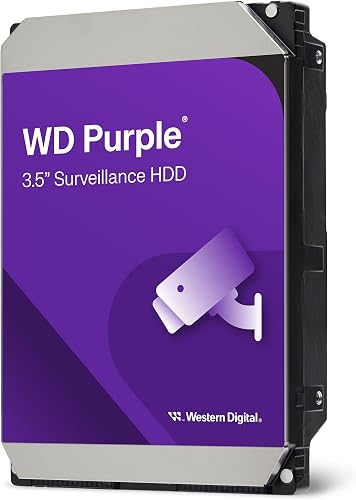
WD Purple 4TB Surveillance Drive (128 MB cache): Best for mainstream WD systems
- 4 TB capacity
- WD AllFrame technology
- Supports workloads up to 180 TB/year
- Supports up to 16 bays
WD Purple is engineered for mainstream surveillance systems and write intensive recording. AllFrame is designed to help reduce frame loss and improve playback.
Pros
- Surveillance focused
- AllFrame technology
- Support for up to 16 bays
Cons
- Capacity may limit retention in a larger system
- Confirm recorder compatibility
WD Purple 8TB Surveillance Drive: Best for a larger WD recorder
- 8 TB capacity
- WD AllFrame technology
- Supports workloads up to 180 TB/year
- Supports more than eight bays
This 8 TB WD Purple option pairs larger capacity with surveillance focused recording features. WD says AllFrame helps reduce frame loss and improve video playback.
Pros
- More capacity for recorded footage
- AllFrame technology
- Support for more than eight bays
Cons
- May exceed a recorder's supported drive size
- Larger capacity does not guarantee a set retention period
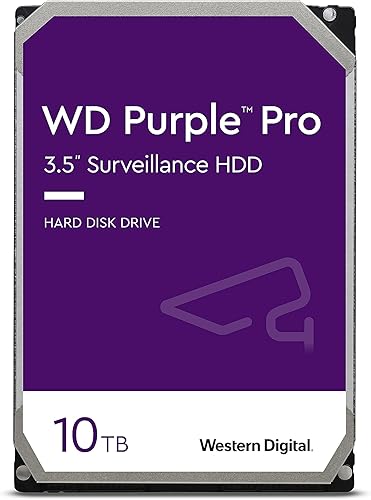
WD Purple Pro 10TB Surveillance Drive: Best for AI enabled recorders
- 10 TB capacity
- Designed for high end smart video systems
- Supports workloads up to 550 TB/year
- AllFrame AI technology
Purple Pro is aimed at high end recorders, analytics appliances and larger storage systems. Its higher workload capability suits systems beyond a basic home recorder.
Pros
- High workload capability
- AllFrame AI technology
- Designed for multi-bay enclosures
Cons
- May be excessive for a basic home system
- Check recorder and analytics compatibility
Seagate SkyHawk AI 12TB Surveillance Drive: Best for AI video workloads
- 12 TB capacity
- Supports up to 64 HD cameras
- Supports up to 32 AI channels
- Workload rate up to 550 TB/year
SkyHawk AI combines a large capacity with support for HD camera streams and AI channels. It fits an AI recorder better than a small standard home setup.
Pros
- 12 TB capacity
- Designed for AI video analytics
- Includes three-year Rescue Data Recovery Services
Cons
- May be more than a basic recorder needs
- Confirm the NVR supports this capacity and AI workload
WD Purple 2TB Surveillance Drive: Best for a small camera setup
- 2 TB capacity
- WD AllFrame technology
- Supports workloads up to 180 TB/year
- Supports up to eight bays
The smallest capacity here suits a modest system where lower storage needs matter more than longer retention. WD AllFrame is designed for surveillance recording and playback.
Pros
- Surveillance focused
- AllFrame technology
- Smaller capacity for modest needs
Cons
- Least capacity in this roundup
- Supports up to eight bays
| Product | Best for | Capacity | Recorder use | Workload | Our score |
|---|---|---|---|---|---|
| Seagate SkyHawk 6TB Surveillance Drive | balanced home recording | 6 TB | DVR and NVR | Up to 180 TB/year | 8.9 |
| Seagate SkyHawk 8TB Surveillance Drive | longer retention needs | 8 TB | DVR and NVR | Up to 180 TB/year | 8.8 |
| Seagate SkyHawk 4TB Surveillance Drive | compact wired systems | 4 TB | DVR and NVR | Up to 180 TB/year | 8.7 |
| WD Purple 4TB Surveillance Drive (128 MB cache) | mainstream WD systems | 4 TB | Mainstream surveillance systems | Up to 180 TB/year | 8.6 |
| WD Purple 8TB Surveillance Drive | a larger WD recorder | 8 TB | Video surveillance systems | Up to 180 TB/year | 8.5 |
| WD Purple Pro 10TB Surveillance Drive | AI enabled recorders | 10 TB | AI enabled recorders and video analytics | Up to 550 TB/year | 8.1 |
| Seagate SkyHawk AI 12TB Surveillance Drive | AI video workloads | 12 TB | AI NVRs and analytics systems | Up to 550 TB/year | 7.9 |
| WD Purple 2TB Surveillance Drive | a small camera setup | 2 TB | Mainstream surveillance systems | Up to 180 TB/year | 7.6 |
How we chose these security camera hard drives
We compared capacity, surveillance features, stated workload support and the kind of recorder each drive is designed to serve. A useful choice starts with fit for your recorder and recording plan, then weighs added features against the work your system actually does.
A DVR or NVR may limit drive size, interface, number of installed drives or supported configurations. Check the manual or manufacturer support page before buying, especially when replacing an existing drive.
The Seagate SkyHawk family is designed for DVR and NVR systems, while WD Purple targets surveillance recording. The AI models have specific value in recorders that support video analytics; their extra capacity and workload features don't add much to a basic home recorder.
Seagate SkyHawk 6TB Surveillance Drive: Best for balanced home recording
Seagate SkyHawk 6TB Surveillance Drive: Best for balanced home recording
- 6 TB capacity
- Built for DVR and NVR systems
- Supports workloads up to 180 TB/year
- RV sensors for multi-bay systems
A mid-capacity surveillance drive designed for DVR and NVR recording. SkyHawk Health Management can help monitor drive health in compatible systems.
Pros
- Video optimized storage
- RV sensors for multi-bay systems
- Includes three-year Rescue Data Recovery Services
Cons
- Recorder compatibility still needs checking
- Capacity may be more than a small system needs
The 6 TB SkyHawk is the strongest all around pick for a home recorder with several cameras and a need for useful retention. Seagate describes it as video optimized storage for DVR and NVR systems.
This drive supports a workload of up to 180 TB per year. Seagate says it can handle 64 simultaneously streaming HD cameras with little to zero dropped frames, but your recorder's camera and storage limits still apply.
Built in RV sensors are designed to help maintain performance in multi-bay systems. Compatible systems can use SkyHawk Health Management to monitor drive health, and Seagate includes three year Rescue Data Recovery Services.
Choose it for a traditional recorder where 6 TB fits your retention goal. Skip it if your recorder has a lower capacity limit or your small event based setup needs little storage.
Seagate SkyHawk 8TB Surveillance Drive: Best for longer retention needs
Seagate SkyHawk 8TB Surveillance Drive: Best for longer retention needs
- 8 TB capacity
- Built for DVR and NVR systems
- Supports workloads up to 180 TB/year
- Designed for 24/7 recording
The larger capacity can suit a system that needs more recording space before footage is overwritten. Confirm the recorder supports an 8 TB drive.
Pros
- More capacity than the 6 TB pick
- Video optimized storage
- Includes three-year Rescue Data Recovery Services
Cons
- May be unnecessary for a few cameras
- Recorder capacity limits vary
The 8 TB SkyHawk gives a compatible recorder more room for video than the 6 TB model. That can help when you record continuously or have several cameras, though exact retention depends on settings and stream quality.
Seagate designs SkyHawk for video DVR and NVR workloads, including 24/7 operation. The drive supports workloads up to 180 TB per year, and its RV sensors are intended for multi-bay systems.
This pick also includes SkyHawk Health Management and three year Rescue Data Recovery Services. Its extra capacity is useful only if the recorder accepts an 8 TB drive and your recording setup can use the additional space.
Pick it when footage retention matters more than minimizing drive capacity. Skip it for a small system if 4 TB already meets your expected retention.
Seagate SkyHawk 4TB Surveillance Drive: Best for compact wired systems
Seagate SkyHawk 4TB Surveillance Drive: Best for compact wired systems
- 4 TB capacity
- Designed for DVR and NVR systems
- Supports workloads up to 180 TB/year
- RV sensors for multi-bay systems
A smaller capacity option for a recorder with moderate storage needs. SkyHawk is designed for surveillance workloads, including continuous recording.
Pros
- Surveillance focused
- Health management support
- Includes three-year Rescue Data Recovery Services
Cons
- Less capacity than 6 TB and 8 TB options
- Check fit and support with the recorder maker
The 4 TB SkyHawk is a smaller capacity choice for a basic wired camera system or a recorder with moderate retention needs. It keeps the SkyHawk surveillance focus while using less space than the larger picks.
Seagate says this drive supports workloads up to 180 TB per year and up to 64 simultaneously streaming HD cameras. The actual number of cameras your system can record depends on the DVR or NVR, camera settings and network design.
It has RV sensors for multi-bay systems and SkyHawk Health Management support. Seagate also includes three year Rescue Data Recovery Services with this model.
Choose it when your recorder supports it and 4 TB meets your retention target. Skip it if continuous recording from many cameras means you would be replacing it with a larger drive soon.
WD Purple 4TB Surveillance Drive: Best for mainstream WD systems
WD Purple 4TB Surveillance Drive (128 MB cache): Best for mainstream WD systems
- 4 TB capacity
- WD AllFrame technology
- Supports workloads up to 180 TB/year
- Supports up to 16 bays
WD Purple is engineered for mainstream surveillance systems and write intensive recording. AllFrame is designed to help reduce frame loss and improve playback.
Pros
- Surveillance focused
- AllFrame technology
- Support for up to 16 bays
Cons
- Capacity may limit retention in a larger system
- Confirm recorder compatibility
The WD Purple 4TB is designed for mainstream surveillance systems and write intensive recording. WD AllFrame technology is intended to help reduce frame loss and improve playback in surveillance applications.
WD states a workload rate up to 180 TB per year and support for up to 16 bays. Those limits make the drive worth considering for a multi-drive system, provided your recorder lists it as compatible.
A 4 TB capacity gives a middle ground for a few cameras and moderate retention. Check your recorder's supported drive size and bay count before choosing it, since the drive's capabilities don't override recorder limits.
Choose this model if your system supports WD Purple and you want a surveillance drive from Western Digital. Skip it if the recorder requires a larger drive for the retention period you want.
WD Purple 8TB Surveillance Drive: Best for a larger WD recorder
WD Purple 8TB Surveillance Drive: Best for a larger WD recorder
- 8 TB capacity
- WD AllFrame technology
- Supports workloads up to 180 TB/year
- Supports more than eight bays
This 8 TB WD Purple option pairs larger capacity with surveillance focused recording features. WD says AllFrame helps reduce frame loss and improve video playback.
Pros
- More capacity for recorded footage
- AllFrame technology
- Support for more than eight bays
Cons
- May exceed a recorder's supported drive size
- Larger capacity does not guarantee a set retention period
The WD Purple 8TB combines larger capacity with surveillance recording features. It is engineered for video surveillance systems and supports a workload rate up to 180 TB per year.
WD AllFrame technology is designed to help reduce frame loss and improve playback. This model also supports more than eight bays, so it may suit a larger multi-drive recorder when the rest of the system supports it.
WD notes that 8 TB and higher Purple drives have additional performance headroom for AI enabled NVRs and video analytics appliances. That does not make every 8 TB drive a match for every AI recorder, so verify compatibility first.
Pick it when you need more storage and your recorder accepts an 8 TB drive. Skip it if your recorder's capacity limit is lower or the extra space won't extend retention enough to matter.
WD Purple Pro 10TB Surveillance Drive: Best for AI enabled recorders
WD Purple Pro 10TB Surveillance Drive: Best for AI enabled recorders
- 10 TB capacity
- Designed for high end smart video systems
- Supports workloads up to 550 TB/year
- AllFrame AI technology
Purple Pro is aimed at high end recorders, analytics appliances and larger storage systems. Its higher workload capability suits systems beyond a basic home recorder.
Pros
- High workload capability
- AllFrame AI technology
- Designed for multi-bay enclosures
Cons
- May be excessive for a basic home system
- Check recorder and analytics compatibility
The WD Purple Pro 10TB is aimed at high end smart video systems, including AI enabled recorders, video analytics appliances and deep learning servers. Its capacity and stated workload rate target heavier storage jobs than a basic home recorder.
WD says AllFrame AI technology helps reduce frame loss and improve playback. It also supports recording multiple streams per camera and up to 32 AI streams per drive for deep learning analytics.
The drive is designed for multi-bay enclosures, with tarnish resistant components and added strength where vibration is present. Those features make it a specialized choice for larger systems, not a default upgrade for a small home kit.
Choose it when your recorder and analytics workload can use its capabilities. Skip it for a standard home NVR without AI processing; a regular SkyHawk or WD Purple is a closer fit.
Seagate SkyHawk AI 12TB Surveillance Drive: Best for AI video workloads
Seagate SkyHawk AI 12TB Surveillance Drive: Best for AI video workloads
- 12 TB capacity
- Supports up to 64 HD cameras
- Supports up to 32 AI channels
- Workload rate up to 550 TB/year
SkyHawk AI combines a large capacity with support for HD camera streams and AI channels. It fits an AI recorder better than a small standard home setup.
Pros
- 12 TB capacity
- Designed for AI video analytics
- Includes three-year Rescue Data Recovery Services
Cons
- May be more than a basic recorder needs
- Confirm the NVR supports this capacity and AI workload
The 12 TB SkyHawk AI is built for AI NVRs, video analytics and deep learning systems that need both storage capacity and analytics support. Seagate says it supports up to 64 HD cameras and 32 additional AI streams.
The drive has a stated workload rate up to 550 TB per year and is designed for 24/7 operation. Compatible systems can use SkyHawk Health Management, and Seagate includes three year Rescue Data Recovery Services.
This is a specialist drive for systems that can use AI channels and high capacity storage. A typical home recorder may not support its capacity or the additional analytics features.
Pick it for a compatible AI enabled recorder with a larger workload. Skip it for a standard multi-camera NVR that won't use the AI channels.
WD Purple 2TB Surveillance Drive: Best for a small camera setup
WD Purple 2TB Surveillance Drive: Best for a small camera setup
- 2 TB capacity
- WD AllFrame technology
- Supports workloads up to 180 TB/year
- Supports up to eight bays
The smallest capacity here suits a modest system where lower storage needs matter more than longer retention. WD AllFrame is designed for surveillance recording and playback.
Pros
- Surveillance focused
- AllFrame technology
- Smaller capacity for modest needs
Cons
- Least capacity in this roundup
- Supports up to eight bays
The WD Purple 2TB is the smallest drive in this roundup and suits modest recording needs. It is engineered for mainstream surveillance systems, with AllFrame technology for write intensive, low bit rate, high stream count workloads.
WD states that it supports a workload rate up to 180 TB per year. Its bay support is up to eight bays for the 1 TB and 2 TB capacities, so confirm that arrangement against the recorder's own limits.
Two terabytes can fill quickly with continuous recording, several cameras or high resolution streams. Estimate retention with your recorder's calculator and set a plan for backing up important clips before older footage is overwritten.
Choose it for a smaller camera system where the capacity matches your retention needs. Skip it if you want to keep more footage from continuous or high resolution recording.
How should you choose hard drive capacity for a security camera system?
Choose capacity based on how much footage you want to keep, then confirm your recorder can use that drive size. The best hard drive for a security camera system depends on the storage estimate, not only on camera count.
Continuous recording uses more space than motion based recording because the system writes video all day. Higher resolution and frame rates can also increase storage use, while compression and recording schedules change the total.
Use the recorder manufacturer's storage calculator if available. Enter camera count, resolution, frame rate, compression setting and desired retention period, then compare the result with the recorder's per drive and total storage limits.
As a starting point, a small event recording system may work with 2 TB or 4 TB, while a larger or continuously recording setup may need 6 TB or 8 TB. AI focused drives make sense when the recorder is built to use those capabilities.
Does a security camera recorder need a surveillance hard drive?
A surveillance drive is designed for the steady write activity common in security recording. Desktop drives are often designed around a different use pattern, so a surveillance model can be a better fit for a DVR or NVR that records around the clock.
Seagate SkyHawk drives are made for DVR and NVR video systems, with stated workload support up to 180 TB per year on the standard models. WD Purple drives are engineered for surveillance, with AllFrame technology intended to help reduce frame loss and improve playback.
The drive still needs to match the recorder. Check the interface, physical size, maximum supported capacity and number of bays before installing a new drive, and follow the recorder maker's instructions for formatting or initialization.
How do you set up and care for a security camera hard drive?
Set up a new internal drive by checking compatibility first, then following the recorder's installation and initialization steps. Save any clips you need before replacing or formatting an existing drive, because those actions can erase stored footage.
Power down the recorder and follow its manual for opening the case, mounting the drive and connecting the cables. Internal SATA drives need a secure physical fit and the matching power and data connections, so don't force a connector or leave the drive loose inside the recorder.
After installation, use the recorder's own menu to initialize or format the drive if required. Check that the recorder reports the expected capacity, resumes recording and shows no storage alert before relying on it.
Keep the recorder in a ventilated spot and avoid blocking its vents. Dust, heat and vibration can affect the equipment around a drive, while periodic checks of available space and recording status help catch a full or unrecognized drive.
What common mistakes lead to lost security camera footage?
The most common storage mistakes are buying a drive the recorder cannot use, underestimating capacity and assuming a hard drive is a backup. A compatible drive still needs enough space for your camera settings and retention target.
Avoid choosing capacity by camera count alone. Two systems with the same number of cameras can use very different storage depending on resolution, frame rate, recording hours and compression.
Don't wait until after installation to find the recorder's maximum supported capacity or number of drive bays. Also, don't assume that more capacity guarantees a fixed number of recording days; use the recorder's calculator and check actual retention after setup.
A local recorder can be stolen, damaged or lose power along with the drive inside it. Export important clips to another location when you need to preserve them, and review the retention setting so older footage isn't overwritten before you expect.
Should you choose local storage or cloud storage?
Local storage keeps video on a drive inside the recorder, while cloud storage sends clips to an online service. A local drive can avoid relying on a paid cloud plan, but the recorder and drive remain in the home and need power and physical protection.
Cloud storage can keep footage off site, but its availability, clip length, retention period and fees depend on the camera service. Some homeowners use local recording for continuous coverage and cloud clips for key events.
Our guide to cloud versus local camera storage explains the tradeoffs. If retention time is the main concern, use our security footage retention guide alongside your recorder's storage calculator.
Which hard drive should you choose for a security camera system?
Choose the Seagate SkyHawk 6TB for a balanced home recorder, the 8 TB SkyHawk or WD Purple when you need more storage, and the WD Purple 2TB for a modest setup. Select the Purple Pro or SkyHawk AI only when your recorder supports the AI workload and capacity.
Before buying, confirm the recorder's supported size, interface and bay limits, then estimate footage retention with your camera settings. For a complete system choice, compare our home security camera system guide.
Our top 3 picks at a glance
-
1
Best for balanced home recording
Seagate SkyHawk 6TB Surveillance Drive
8.9/10 our score
See it on Amazon -
2
Best for longer retention needs
Seagate SkyHawk 8TB Surveillance Drive
8.8/10 our score
See it on Amazon -
3
Best for compact wired systems
Seagate SkyHawk 4TB Surveillance Drive
8.7/10 our score
See it on Amazon
Frequently asked questions
What kind of hard drive does a security camera system need?
A security recorder usually needs an internal drive that matches its interface and size limits. It also needs to meet the recorder's supported capacity.
For continuous recording, a surveillance drive is designed around video workloads, while a standard desktop drive may be intended for shorter run periods.
Check your DVR or NVR manual before buying.
How much hard drive space do security cameras need?
The right capacity depends on camera count, resolution and frame rate. Recording hours and how long you want to keep footage matter too.
A 2 TB drive may fit a small setup, while systems with more cameras or longer retention may call for 6 TB or 8 TB.
Use the recorder's storage calculator when available.
Can I use a regular hard drive in a security camera recorder?
Some recorders may accept a standard SATA hard drive, but a surveillance drive is designed for ongoing video recording workloads. Compatibility and supported capacity depend on the recorder, so check its drive requirements before installing any replacement.
Back up important footage before changing a drive.
How long will a security camera hard drive keep footage?
Retention depends on drive capacity and camera settings. It also depends on whether the recorder records continuously or only on events.
When storage fills, many systems overwrite older footage, so set recording quality and retention expectations together.
See our guide to how long security camera footage lasts for the main factors.
Should I choose an NVR or DVR hard drive?
Choose a drive supported by your specific NVR or DVR. Both recorder types can use surveillance storage, but compatibility limits, drive bays and maximum capacity differ by model.
Our NVR versus DVR guide explains the recorder differences.