Cloud vs Local Storage for Security Camera Video: Which Is Better? (October 2026)
Choose local storage for on-site control and fewer recurring fees; choose cloud storage for off-site access to recordings. Compare recording modes, internet reliability, retention and whether you need continuous or event-based video.
On this page (9 sections)
- Cloud vs local storage: what’s the main difference?
- Which storage method gives you more control over privacy?
- What do cloud and local storage cost over time?
- How long can cloud or local storage keep footage?
- Which storage is easier to set up and use?
- What common storage mistakes should you avoid?
- Who should choose cloud storage, and who should skip it?
- Who should choose local storage, and who should skip it?
- Cloud vs local storage: what’s the clearest decision?
Cloud vs local storage comes down to where recordings live and how you want to retrieve them. Choose local storage for on-site control and fewer recurring fees, or cloud storage for remote access to saved clips.
A local system saves video to a camera, base or recorder at home. Cloud storage sends recordings to an online service, where you can reach them through an account or app.
Start with the footage you need. Event clips and continuous recording call for different storage and access features.
A history you can search from away from home may also affect your choice. Check each camera’s recording modes and what remains available without a paid plan.

 Best for expanding recorder storage
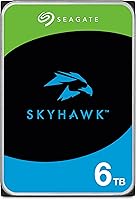
Seagate SkyHawk 4TB Surveillance Drive
Cloud vs local storage: what’s the main difference?
Local storage keeps recordings on equipment at home; cloud storage puts them on a remote service. The location affects access, outage behavior, privacy and what can happen if equipment is stolen.
A local system may save footage to a camera’s memory, a base station or a recorder with a hard drive. Some recorders can provide local control without internet access.
Cloud storage sends video over your internet connection to a service. That can make saved clips available away from home, but remote review depends on the connection, the service and the plan.
How does cloud vs local storage work during an internet outage?
A local system may keep recording through an internet outage if the equipment has power and supports offline recording. Cloud recording generally needs the camera to reach the service, so check whether it also keeps a local copy.
Remote viewing and app alerts may stop during an outage even if a local recorder continues saving footage. Don’t assume a cloud system will upload missed video after the connection returns.
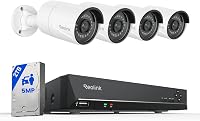
The Hiseeu NVR supports local view and control without Wi-Fi, while remote control uses Wi-Fi. It offers 24/7, motion-triggered and custom recording.
If you’re deciding between recorder types, our guide to what an NVR system is explains how it fits into a camera setup.
Which storage method gives you more control over privacy?
Local storage gives you direct control of the recording device; cloud storage requires an account and service provider. In either case, secure access to your cameras and saved footage.
Use a strong password for the camera app or recorder, limit account access and keep a recorder where visitors can’t easily remove it. If the recorder is stolen, footage stored only on it may go with it.
Cloud storage can keep a copy away from a stolen camera or recorder, but access depends on the account and service. Use a unique password, enable available account protections and review who can sign in.
The aosu D1 Classic saves event recordings to its included base without a subscription. Its 32GB of storage is described as holding about 120 days of loop-recorded events.
A private local setup still needs secure account access and sensible recorder placement. Read our guide on how a home security camera system works to see how cameras, recorders and apps connect.
What do cloud and local storage cost over time?
Local storage can avoid a recurring cloud plan, while cloud history may require a paid subscription. Compare the ongoing plan with the equipment you need, including a recorder or drive that may be sold separately.
The Arlo Pro 6th Gen kit includes a trial with 60-day video history, AI detection and emergency response. After the trial, a paid plan is required for that history, while live streaming and basic alerts work without a subscription.
Treat cloud history as a feature to budget for, not a permanent free service. Before relying on it, check what the plan includes and what still works when the trial ends.
Local storage may come with a camera base or recorder, or require an additional drive. The Hiseeu kit includes a 1TB hard drive, while the Seagate SkyHawk is a separate 4TB internal drive for compatible DVR and NVR systems.
A larger drive doesn’t guarantee a set number of retention days. Resolution, camera count, recording schedule and activity all affect how quickly storage fills.
For help matching a drive to a recorder, see our guide to the best hard drives for a security camera recorder.
How long can cloud or local storage keep footage?
Retention depends on the plan or storage capacity, recording mode and how much activity your cameras capture. Check the system’s overwrite rules so you know when older clips will disappear.
A cloud plan may keep recordings for a set period. Arlo’s included trial provides 60-day video history; after the trial, the paid plan terms determine whether that history continues.
Local storage has a fixed capacity, and continuous video fills it faster than event clips. Loop recording can replace older footage to make room, so save important clips before the system overwrites them.
The aosu base’s roughly 120-day figure applies to event-based loop recording, not continuous video. Hiseeu describes over 45 days of continuous recording on its 1TB drive, but actual retention can vary with settings and activity.
If an incident matters, export or preserve the clip promptly. Our guide to how long security camera footage lasts explains the factors that affect retention.
Which storage is easier to set up and use?
Cloud storage can make remote review simpler, while local systems give you a recorder or base to manage at home. Ease depends on how you install the equipment and where you prefer to view clips.
A cloud-connected camera needs a suitable internet connection and an account. Decide where you’ll mount the camera first, then check that the connection reaches that location and that the app offers the alerts or history you want.
A local base or NVR needs a safe indoor spot and a setup that matches the cameras. The aosu base connects to a router’s LAN port, and its cameras connect wirelessly to the base.
Hiseeu’s cameras need plug-in power, and its NVR supports local view and control.
Plan the recording method before mounting cameras. For continuous recording, confirm the recorder has enough storage and that cameras have dependable power.
For event recording, place cameras to cover the areas where activity matters.
The best wireless camera systems that record to an NVR can help if you want wireless camera connections paired with a recorder. Wireless video doesn’t always mean battery-powered cameras, so check power needs before installation.
What common storage mistakes should you avoid?
The biggest mistakes are assuming every local system records continuously, overlooking plan limits and sizing storage by capacity alone. Match the storage choice to the clips you need and how you’ll retrieve them.
First, distinguish event recording from continuous recording. The aosu base stores detected activity clips, while the Hiseeu NVR offers continuous, motion-triggered or custom modes.
Second, check what a subscription includes after any trial. Arlo’s 60-day video history requires a paid plan after its trial, even though basic alerts and live streaming remain available without one.
Third, don’t assume a drive fits every recorder. The Seagate SkyHawk is an internal SATA drive designed for DVR and NVR systems, so confirm that the specific recorder supports it before buying.
Finally, don’t leave important clips in a system that overwrites old footage. Check playback occasionally and save any video you may need before it reaches the retention limit.
Who should choose cloud storage, and who should skip it?
Choose cloud storage if you want a remote history of clips and accept the account, internet and plan requirements. Skip it if recurring fees are a deal-breaker or you need recording to depend less on internet access.
Cloud suits people who review cameras while away from home, want service-managed video history or value app features such as event summaries and search. Arlo’s paid features include AI detection, event summaries and keyword search, while its basic live streaming and alerts don’t require a subscription.
Skip a cloud-first setup if you want to avoid a paid plan for saved history, have unreliable internet or prefer to manage footage on equipment at home. Confirm whether the camera stores a local backup during an outage before choosing it.
Who should choose local storage, and who should skip it?
Choose local storage if you want on-site recordings, control over a base or NVR, or fewer recurring fees. Skip it if you don’t want to manage equipment, protect a recorder or review clips within its capacity and retention limits.
A local base with event recording fits someone who mainly needs activity clips and an app for review. The aosu kit is aimed at this use, with no subscription required for its event storage.
An NVR is a stronger fit when you want continuous recording or local control. The Hiseeu system includes a hard drive and offers several recording modes, but its cameras need plug-in power.
A separate surveillance drive suits someone who already has a compatible DVR or NVR and needs more capacity. The Seagate SkyHawk is a drive, not a standalone camera recorder, so it won’t replace the rest of the system.
Cloud vs local storage: what’s the clearest decision?
Pick local storage for on-site recordings and fewer recurring fees; pick cloud storage for remote video history and app-based access. Choose a supported hybrid system if you need both, then confirm how it behaves when internet or power fails.
For event clips at home, consider a camera base with local storage. For continuous recording, choose a recorder that supports that mode and size its drive for your cameras and schedule.
For remote history, check what the plan retains and what features remain after any trial. If you’re still weighing cameras and recorders, start with how to pick a home security camera system.
The right cloud vs local storage setup is the one that records the kind of footage you need and lets you find it when it matters.
Frequently asked questions
Is cloud or local storage safer for security cameras?
Neither is automatically safer. Local storage keeps recordings on a camera, base or recorder at home, while cloud storage sends them to an online service.
Consider account security, who can access each system, internet outages and what happens if a recorder is stolen.
Can security cameras record locally without internet?
Some systems can record locally without internet, but the features vary. The Hiseeu NVR supports local view and control without Wi-Fi, while remote control uses Wi-Fi.
Check whether your chosen system continues recording during an internet outage and how you can review footage.
Do cloud security cameras need a subscription?
Some cloud features require a paid plan, while others work without one. Arlo includes a trial with 60-day video history, then requires a paid plan for that history.
Live streaming and basic alerts work without a subscription.
How long does local camera storage keep footage?
Retention depends on storage capacity, recording mode, camera count and how much activity is recorded. Event clips may use space differently from continuous video, and loop recording can overwrite older footage.
See our guide to how long security camera footage lasts for the factors to estimate.
Can I use both cloud and local storage?
Some camera systems offer both, but support depends on the camera, recorder and plan. Confirm whether local recording continues if the internet or cloud service is unavailable, and whether cloud history requires a subscription.
A second storage method can help if one copy becomes inaccessible.