9 Best DIY Security Camera Systems You Can Set Up Yourself (October 2026)
The best DIY home security camera systems include the aosu D1 Max 4K Solar 4-Cam Kit for sunny yards, the eufyCam C37 4-Cam Kit for flexible solar angles, and the aosu D1 Classic 4-Cam Solar Kit for simple solar mounting.
On this page (4 sections)
The best DIY security camera system for most homes is the aosu D1 Max 4K Solar 4-Cam Kit, which pairs solar cameras with local storage and app control. Choose Reolink or ANNKE if you can run cables and want an included recorder for continuous recording.
Start with the installation choice: do you want to mount cameras without wiring, or can you route cables to a central recorder? That decision shapes where cameras can go, how they get power, and whether they record events or continuously.
If you’re comparing different kit types, our home security camera system guide explains the tradeoffs among wireless cameras, recorder kits, and storage. For wired layouts, see how to wire security cameras at home.
Our picks at a glance
-
1

-
2

-
3

- 4
 Check it
Reolink RLK8-520D4 5MP PoE System
Best for continuous PoE recording - 5
 Best for changeable camera spotsCheck it
 - 6
 Check it
Blink Outdoor 4 XR 6-Camera System
Best for far-flung outbuildings - 7
 Check it
ANNKE 3K Lite 8-Cam Wired Kit (1TB)
Best for wired entry coverage - 8
 Check it
Hiseeu 3K PTZ 8-Cam Wired System
Best for manually aimed coverage - 9
 Check it
CAMCAMP Wi-Fi 24/7 Recording Camera System
Best for powered Wi-Fi expansion
Which DIY security camera system fits your home?
The best fit depends on your power access, desired recording style, and willingness to run cable. These picks cover solar, battery, plug-in, and wired recorder setups, so start with the installation pattern that suits your property.
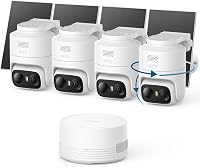
aosu D1 Max 4K Solar 4-Cam Kit: Best for sunny yards
- 4K video with 6x digital zoom
- Solar panels with flexible placement
- 32GB local storage, expandable to 1TB
- Pan, tilt and auto tracking
A wire-free four-camera kit with solar panels and a base for local recordings. Pan, tilt and tracking help cover outdoor areas where fixed views may miss movement.
Pros
- No camera power cables
- Local storage included
- Detached solar panels allow flexible placement
Cons
- Solar charging depends on available sunlight
- Base connects to the router by Ethernet
The aosu D1 Max is a strong choice when you want four outdoor cameras without power cables at the camera locations. Each camera has a detached solar panel, so you can aim the camera at an entry path and place its panel where it gets better sunlight.
The included aosuBase stores footage locally, with 32GB included and room to expand up to 1TB. Its base connects to the router by Ethernet, while the cameras connect wirelessly to the base, so choose an indoor base location with both network access and a suitable signal path to the cameras.
Pan, tilt, and auto tracking help follow people and vehicles across a camera’s view. On-device AI detection, activity zones, and light or sound warnings give you ways to tune alerts around the parts of the yard that matter.
Choose the D1 Max if you want a solar powered setup with flexible camera and panel placement, local recording, and tracking. Skip it if the camera sites get little direct sun or you need continuous 24/7 recording.
eufyCam C37 4-Cam Kit: Best for flexible solar angles
- 2K color night vision
- Detachable solar panels
- HomeBase Mini with 64GB storage
- 360-degree pan and tilt
Four solar cameras pair with HomeBase Mini for local storage and app access. This system suits buyers who want pan-and-tilt views and don't need continuous recording.
Pros
- Detachable panels can be placed for sunlight
- Local storage included
- Pan-and-tilt auto tracking
Cons
- Does not support 24/7 recording
- Requires HomeBase Mini or newer HomeBase 3
The eufyCam C37 suits a solar setup where you want to point each camera and solar panel independently. Detachable panels can be positioned for sunlight without forcing the camera to face the same direction.
HomeBase Mini includes 64GB of storage and supports expansion up to 1TB with a separately sold microSD card. The cameras provide 2K color night vision and pan-and-tilt tracking, with supported detection features through HomeBase Mini.
One limit matters: C37 does not support continuous 24/7 recording. It records events, so choose a wired recorder if you need a constant video history.
Check compatibility as part of setup planning. C37 works with HomeBase Mini or HomeBase 3, but not HomeBase 2 or HomeKit, and the camera is designed for upside-down installation.
Choose C37 if you want flexible solar positioning and event clips stored locally. Skip it if you need continuous recording or plan to use HomeBase 2 or HomeKit.
aosu D1 Classic 4-Cam Solar Kit: Best for simple solar mounting
- Integrated solar panels
- 32GB local storage
- 2K video with color night vision
- Pre-paired cameras and base
This four-camera kit pairs with one base and stores activity clips locally. Integrated panels keep installation compact, while setup uses a router connection to the base.
Pros
- No separate solar panel mounts
- Cameras arrive pre-paired
- Four-camera live view in the app
Cons
- Needs unobstructed sunlight for charging
- Base has no HDMI or TV output
The aosu D1 Classic is a straightforward option for four-camera solar coverage with fewer separate mounting parts. Its solar panels are integrated into the cameras, and the cameras arrive pre-paired with the base.
The system records activity events to 32GB of local storage in aosuBase. The app can show all four live feeds at once, which is useful when checking several parts of a property from one screen.
Setup starts with connecting the base to your router by Ethernet. The cameras connect wirelessly to the base, so their locations do not need network cables.
This kit also has pan, tilt, auto tracking, and color night vision. The base has no HDMI or TV output, so plan to view live footage in the app.
Choose the Classic if you want an integrated solar design and a simple four-camera setup. Skip it if you need a TV-connected monitor or your camera locations lack unobstructed sunlight.
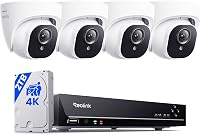
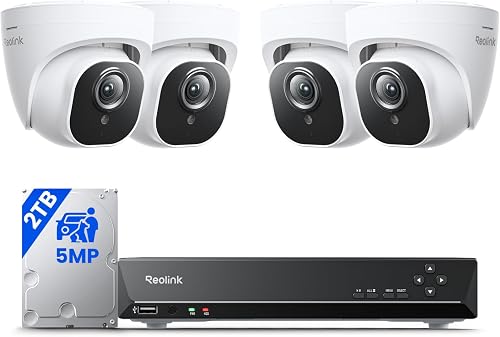
Reolink RLK8-520D4 5MP PoE System: Best for continuous PoE recording
- Four PoE cameras and an 8-channel NVR
- 2TB hard drive included
- Plug-and-play camera connections
- Person, animal and vehicle detection
A wired system combines four PoE cameras with an NVR and hard drive. It fits homes where you can run cable and want continuous recording.
Pros
- Hard drive included
- Cameras connect to the NVR by cable
- Remote playback through the app
Cons
- Installation requires cable runs
- Designed for Reolink PoE cameras
Reolink is the best fit in this group when you can route cable and want continuous recording to a local hard drive. The kit pairs four PoE cameras with an 8-channel NVR and a preinstalled 2TB drive.
The included network cables are 18 m long, so map each route from a camera location to the recorder before drilling or attaching cable clips. PoE combines camera power and network connection over the cable, but you still need a clear path back to the NVR.
The cameras support person, animal, and vehicle detection, and the NVR provides remote playback through the app. A built-in microphone can record audio when enabled.
The system is designed for Reolink PoE cameras. Check compatibility and available cable paths before planning to add cameras later.
Choose Reolink if continuous recording, local storage, and a wired connection suit your home. Skip it if you cannot route cable cleanly or want a camera system that mounts without network wiring.
Arlo Pro 6th Gen 2K 4-Cam Kit: Best for changeable camera spots
- 2K HDR video
- Rechargeable, swappable batteries
- 160-degree field of view
- Dual-band Wi-Fi
Battery-powered cameras offer flexible placement without running power wires. Advanced video history and detection features require a paid Arlo Secure plan after the trial.
Pros
- Wide 160-degree view
- Swappable batteries
- Works with several smart home platforms
Cons
- Paid plan required for video history after trial
- Designed for use in the U.S.; features may vary elsewhere
Arlo Pro suits homeowners who want flexible camera placement and a wide view without running power wires. Its rechargeable, swappable batteries make it easier to move cameras or replace a battery without relocating the mount.
The cameras record 2K HDR video and include a 160-degree field of view, color night vision, a spotlight, two-way audio, and motion alerts. Dual-band Wi-Fi can connect to the stronger 2.4 or 5GHz network.
Arlo Secure features such as video history, AI detection, and emergency response require a paid plan after the trial. Live streaming and basic alerts work without a subscription, so decide whether you need saved footage before choosing the kit.
Arlo says this kit is intended for use in the U.S. and that features may be limited elsewhere. Confirm regional availability if you are outside the U.S.
Choose Arlo if wide views and battery flexibility matter more than local storage. Skip it if you want an ongoing video history without a paid plan.
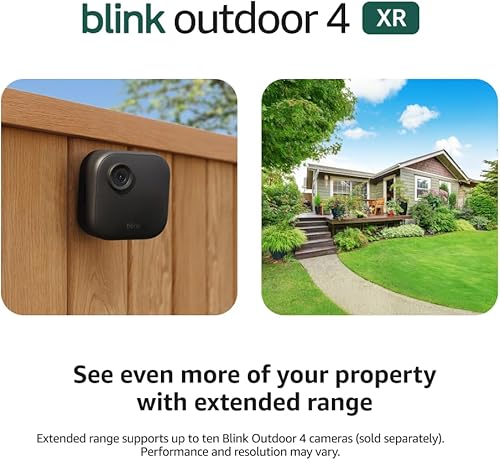
Blink Outdoor 4 XR 6-Camera System: Best for far-flung outbuildings
- Six battery-powered cameras
- Sync Module XR included
- Local storage via separately sold microSD card
- Up to 400 ft range in typical use
Six cameras and an XR hub suit properties where camera locations sit farther from the home Wi-Fi router. Local storage requires a separately sold microSD card.
Pros
- Six cameras in the kit
- XR hub extends camera range
- Up to 10 Blink devices can be controlled in the app
Cons
- MicroSD card sold separately
- Range figures vary between open air and typical use
Blink Outdoor 4 XR is aimed at properties where camera locations sit farther from the Sync Module XR. Blink gives a range of up to 400 ft in typical use and up to 1,000 ft in open air.
The kit includes six cameras, a Sync Module XR, and lithium AA batteries. Blink says the cameras can run up to two years with the included hub and Energizer lithium batteries; actual battery life depends on activity and conditions.
You can use cloud storage through a trial or local storage with a microSD card up to 256GB. The card is sold separately, so plan for that if you want local clips.
Choose Blink if the extended hub range and six camera positions match a large property. Skip it if you need continuous recording or want local storage ready without buying a separate card.
ANNKE 3K Lite 8-Cam Wired Kit (1TB): Best for wired entry coverage
- Eight cameras with cables
- DVR with 1TB hard drive
- 24/7 recording
- Human and vehicle detection
This wired DVR kit includes eight cameras and cables for broader coverage. Choose it when running wires is practical and continuous recording matters.
Pros
- Eight cameras included
- Hard drive included
- Remote app access
Cons
- Camera cables need routing
- Included cameras record at 1080p
ANNKE is a practical choice when you need eight wired camera positions and a DVR with continuous recording. The kit includes a 1TB hard drive and 60 ft BNC cables for each camera.
The included cameras record at 1080p, while the DVR can also work with compatible higher-resolution cameras. It supports human and vehicle detection, remote app access, and playback search by detected person or vehicle.
Map each cable route to the DVR and account for the included power splitters before mounting cameras. ANNKE says the DVR can record without internet, but remote access and playback need a network connection.
Choose ANNKE if you can route camera cables and want eight views recording to a local drive. Skip it if you want a wire-free setup or higher-resolution video from the included cameras.
Hiseeu 3K PTZ 8-Cam Wired System: Best for manually aimed coverage
- Eight wired cameras
- 1TB hard drive included
- 355-degree pan and 90-degree tilt
- Human and vehicle detection on up to four cameras
The wired DVR kit combines eight cameras with pan-and-tilt control through the app or DVR. Movement does not trigger automatic tracking or cruise control.
Pros
- Eight cameras included
- Local hard drive storage
- Can record continuously or by motion
Cons
- Pan and tilt require manual control
- Human and vehicle filtering covers up to four cameras
Hiseeu combines eight wired cameras with an 8-channel DVR and a preinstalled 1TB hard drive. It can record continuously or by motion, so you can choose between a full timeline and event-based footage.
The cameras support manual pan and tilt through the app or DVR controls. They do not automatically track movement, so this system suits someone who wants to adjust viewing angles on demand rather than have cameras follow a subject.
Human and vehicle detection is available on up to four cameras. The system also includes infrared night vision and triggered color night vision, with spotlights activated by detected people.
Each camera connects to the DVR by BNC cable and needs power. Check cable lengths against your planned routes before mounting.
Choose Hiseeu if you want multiple wired camera positions and manual angle control. Skip it if automatic tracking is a priority or you do not want to manage cable runs.
CAMCAMP Wi-Fi 24/7 Recording Camera System: Best for powered Wi-Fi expansion
- Eight plug-in cameras and 16-channel NVR
- 500GB hard drive included
- 355-degree pan and 90-degree tilt
- 24/7 recording
This plug-in camera system pairs wirelessly with an NVR and supports additional cameras within its 16 channels. It still needs power adapters for its cameras.
Pros
- Eight cameras and NVR included
- Local recording without a monthly fee
- Two-way audio
Cons
- Each camera needs a power adapter
- 500GB drive is smaller than the other wired kits here
CAMCAMP fits a setup with plug-in cameras, wireless links to an NVR, and room for more channels. The kit includes eight cameras, a 16-channel NVR, and a 500GB hard drive.
The cameras connect wirelessly to the NVR, but each still needs a power adapter. That reduces network cabling compared with a PoE kit, while each camera location still needs access to power.
The system supports 24/7 recording, two-way audio, pan and tilt, and auto tracking. The 16-channel recorder leaves capacity for additional cameras, though those cameras and their power arrangements need to suit your setup.
Choose CAMCAMP if you want NVR recording and can place power at every camera. Skip it if you need cameras to run on batteries or solar alone.
How do you choose between wireless cameras and a wired recorder?
Choose wireless cameras when avoiding long cable runs matters most, and choose a wired recorder when continuous recording and a central hard drive are priorities. “Wireless” may describe how a camera communicates with its base, but the camera can still need power from a plug or a battery.
Solar and battery kits cut down on wiring at camera locations. The aosu D1 Max and eufy C37 use solar panels, while Arlo and Blink rely on batteries.
PoE systems use a cable to connect each camera to the recorder and provide its network connection. DVR kits like ANNKE and Hiseeu use camera cables plus power, so they take more route planning.
For more on recorder types and kit layouts, read our guide to the best NVR camera systems for a whole house. If battery placement matters more than a recorder, compare the best battery security camera systems.
| Product | Best for | Power | Storage | Recording | Our score |
|---|---|---|---|---|---|
| aosu D1 Max 4K Solar 4-Cam Kit | sunny yards | Solar powered, wire-free cameras | 32GB included, expandable to 1TB | Local aosuBase storage | 9.1 |
| eufyCam C37 4-Cam Kit | flexible solar angles | Battery with solar panels | 64GB built in, expandable to 1TB | Event recording; no 24/7 recording | 8.9 |
| aosu D1 Classic 4-Cam Solar Kit | simple solar mounting | Integrated solar panels | 32GB local aosuBase storage | Event recording | 8.8 |
| Reolink RLK8-520D4 5MP PoE System | continuous PoE recording | 2TB hard drive included | 24/7 recording | 8.7 | |
| Arlo Pro 6th Gen 2K 4-Cam Kit | changeable camera spots | Rechargeable battery | Cloud history with paid plan after trial | Live stream and alerts without subscription | 8.5 |
| Blink Outdoor 4 XR 6-Camera System | far-flung outbuildings | AA lithium batteries | Cloud trial or microSD up to 256GB | Event clips | 8.4 |
| ANNKE 3K Lite 8-Cam Wired Kit (1TB) | wired entry coverage | 1TB hard drive included | 24/7 continuous recording | 8.3 | |
| Hiseeu 3K PTZ 8-Cam Wired System | manually aimed coverage | 1TB hard drive included | 24/7 or motion recording | 8.2 | |
| CAMCAMP Wi-Fi 24/7 Recording Camera System | powered Wi-Fi expansion | 500GB hard drive included | 24/7 recording | 7.4 |
What should you check before installing a DIY home security camera system?
Check camera views, power, network access, storage, and mounting surfaces before drilling. A brief plan helps you avoid blind spots and gives the base or recorder a practical location.
How do you plan views for a DIY security camera system?
Aim each camera at an entry path, driveway, yard gate, or another area you want to monitor. Avoid pointing cameras into a neighbor’s windows or spaces where people expect privacy.
Stand where each camera will sit and look along the planned angle. Check for walls, trees, roof edges, or bright lights that may block the view or trigger unwanted alerts.
Overlap views at key entrances when one camera cannot cover the whole approach. A pan-and-tilt camera can follow movement, but a subject may leave its view while it turns, so don’t rely on one moving camera to watch every direction at once.
Does a DIY camera system need power cables?
Battery and solar cameras reduce wiring, but solar panels need useful sunlight and batteries need charging. Plug-in Wi-Fi cameras still need a nearby outlet, while PoE and DVR kits need cables routed back to the recorder.
Measure the distance from each camera to the planned cable entry, outlet, or sunny mounting point. Keep cables protected from weather and out of walkways, and follow the system’s installation instructions.
If a solar panel is separate from the camera, choose a panel position with sunlight and a cable path that reaches the camera. With integrated panels, check that the camera itself can face the right direction and still get sun.
How much storage does a DIY security camera system need?
Storage needs depend on camera count, recording mode, and how long you want to keep footage. Event recording uses less space than continuous recording, while a larger drive can hold more video before overwriting.
The Reolink kit includes a 2TB drive, ANNKE and Hiseeu include 1TB drives, and CAMCAMP includes 500GB. The aosu and eufy bases include local flash storage, with expansion options, while Blink needs a separate microSD card for local storage.
Think about how often you expect to search past clips and whether you need a continuous timeline. For more on retention, read how long security camera footage lasts.
Will the cameras work with your network?
Check each system’s network needs before ordering. The aosu base connects to a router by Ethernet, eufy C37 uses 2.4GHz Wi-Fi, and Arlo supports dual-band Wi-Fi.
A camera system may use its own link between the cameras and a recorder or base. App alerts and remote viewing can still depend on your home network and internet access, so plan the recorder’s location near a reliable connection.
What setup mistakes should you avoid?
The most common setup mistakes are drilling before checking the view, mounting a solar camera in shade, and forgetting power or cable routes. Test the intended camera angle from ground level and mark the mounting points only after the view looks right.
Don’t assume that every wireless camera is battery-powered. CAMCAMP’s cameras connect wirelessly to the NVR but still need power adapters, and the aosu bases need Ethernet connections to the router.
Set activity zones and alert preferences after installation. A camera pointed at a busy sidewalk or swaying branches may create avoidable notifications, while a zone focused on the gate or driveway can make alerts more useful.
How should you care for a DIY camera system?
Keep lenses and solar panels clear of dust, leaves, and other obstructions. Check that mounts remain secure after severe weather, and review camera views periodically as plants grow or outdoor furniture moves.
For battery cameras, set a reminder to check charge levels and recharge or swap batteries as needed. For solar cameras, check that branches, dirt, or seasonal shade have not reduced the panel’s access to sunlight.
Review storage settings and playback from time to time. Make sure the recorder or base is powered, its network connection is active if you rely on remote access, and you can find clips using the app or local controls.
Which best DIY security camera system should you choose?
Choose the aosu D1 Max if you want solar-powered cameras, local storage, and 4K video without running power wires. Pick Reolink if you can route PoE cables and want a hard drive for continuous recording.
For eight wired views, choose ANNKE if 1080p cameras meet your needs, or Hiseeu if manual pan-and-tilt control is useful. Choose eufy C37 for flexible solar placement and event recording, or Arlo if battery flexibility and a wide field of view matter more than local storage.
Before you buy, match the recording style and power source to each camera location. If you’re still comparing kit types, start with our home security camera system guide.
Our top 3 picks at a glance
-
1
-
2
-
3
Frequently asked questions
What is the best DIY security camera system for home?
The best DIY security camera system for home depends on whether you want to run cables. The aosu D1 Max fits solar coverage with local storage, while the Reolink PoE kit suits homes where cable runs are practical and continuous recording matters.
Check power, storage, and camera placement before choosing.
Are DIY security camera systems hard to install?
Many DIY systems use app setup and screw-mounted cameras, but installation effort depends on power and cable needs. Battery and solar cameras avoid long power runs, while PoE and DVR systems need cables routed between cameras and a recorder.
Plan camera views and cable paths before drilling.
Can a DIY camera system record without internet?
Some systems can record locally without internet, though remote viewing and alerts may need a network connection. ANNKE says its DVR can record without internet, and Reolink stores footage on its included hard drive.
Confirm how your chosen system handles local recording and playback.
Should I choose wireless or wired cameras?
Choose wireless cameras when avoiding cable runs matters most, and wired cameras when you want a fixed connection to a recorder or continuous recording. Wireless cameras can still require charging or a nearby power outlet, while wired kits take more installation work.
Match the system to your mounting locations.
How much storage do DIY camera systems need?
Storage needs depend on camera count, recording mode, and how long you want to keep footage. Event recording uses less space than continuous recording, while a larger hard drive can hold more video before overwriting.
Compare included capacity and whether the system supports expansion.